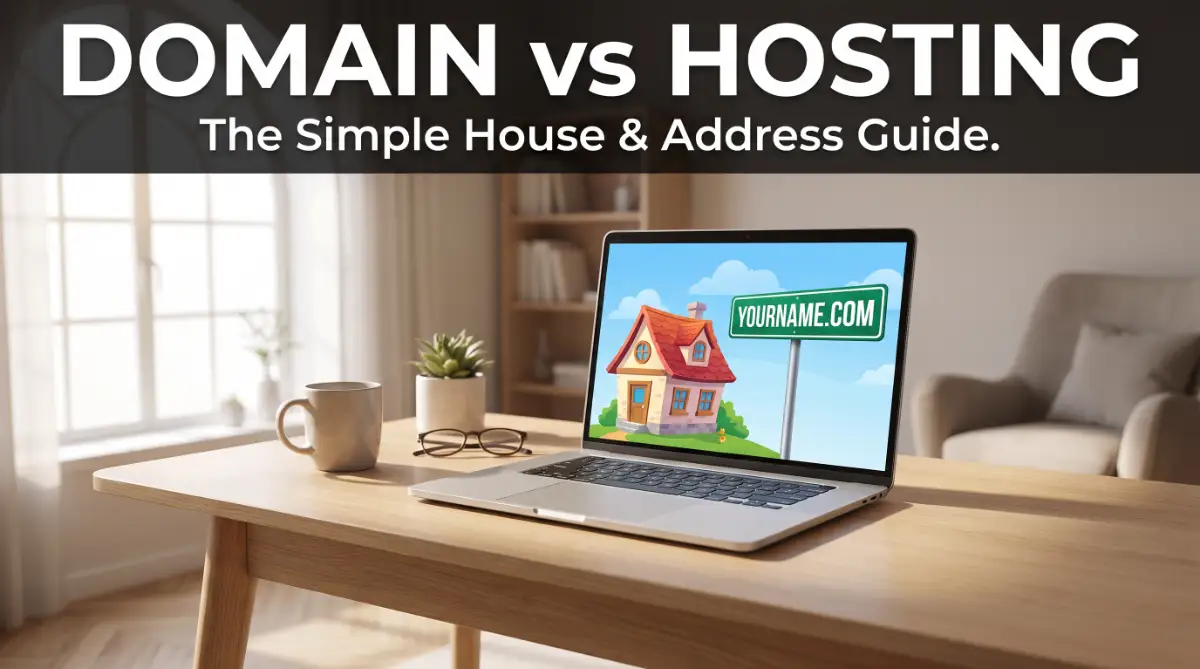
I still remember the massive headache I got when I tried to start my first blog. I actually wasted money on three different domain names because I didn't know the difference between a name and a place to put my files.
I don't want you to go through that stress, so I’m going to explain this in plain English that anyone can understand.
The Secret Headache That Stops Your Online Dreams
You have a million-dollar idea. Maybe it is a blog to share your passion or a new business to serve your community. You sit down, open your laptop, and get ready to build.
Then, the confusion starts. You see one ad for a "Domain Name" and another for "Web Hosting." You start to wonder if you need both or if they are just different names for the same thing.
This tiny bit of confusion acts like a giant wall. It stops you before you even begin. You feel like you are trying to read a map in a language you don't speak.
Many people spend days, even weeks, stuck in this loop. They worry about making a mistake that could cost them a lot of money or break their future website.
We are going to make that happen by using a simple story about a house.
Quick Summary: What You Need to Know
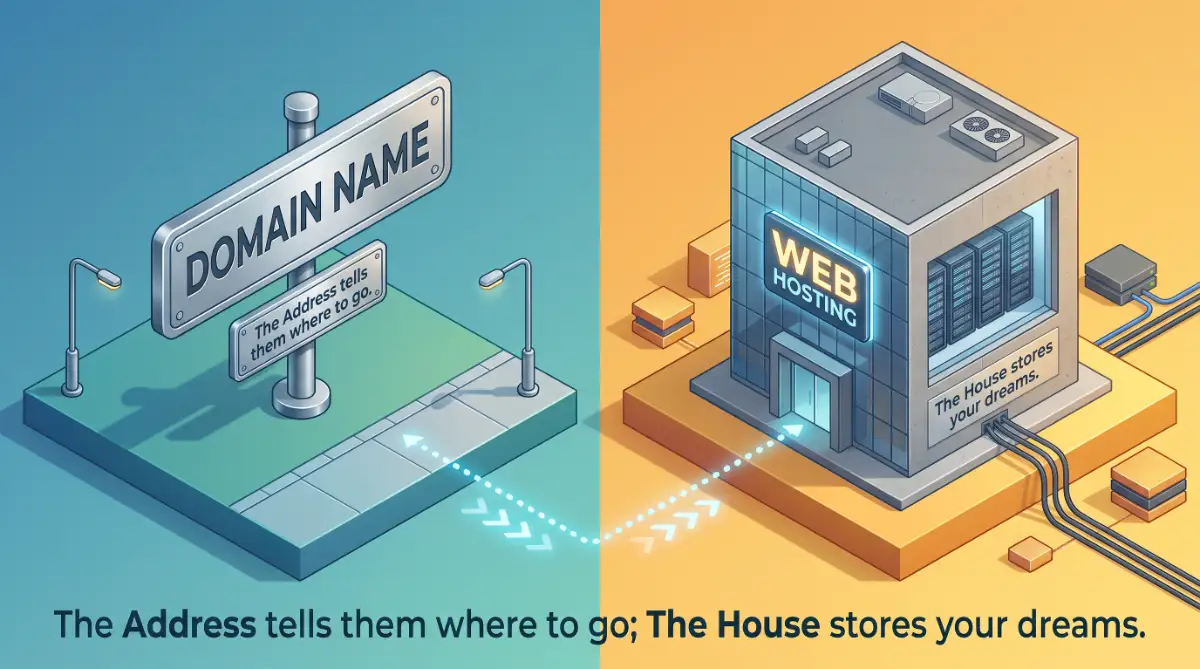
- Domain Name: Your website’s address (like yourhome.com).
- Web Hosting: The actual space or "house" where your website's files live.
- The Link: You connect them using "Nameservers" so people can find your site.
- Cost Saving: You don't have to buy them from the same company; keeping them separate is often smarter.
The Simple "House and Address" Secret
Let’s step away from the computer for a minute. Let’s talk about real estate. This is the easiest way to understand how the web works.
Your Domain is Your Address
Imagine you want to invite your best friend over for coffee. What is the first thing you give them? You give them your address.
You might say, "I live at 742 Evergreen Terrace." That address tells your friend exactly where to go in the physical world.
A domain name is your digital address. It is what people type into their phone or computer to find you. Instead of "Evergreen Terrace," they type YourBusinessName.com.
Without an address, people would have to remember a long, ugly string of numbers called an IP address. Nobody wants to do that!
Your Web Hosting is Your House
Now, imagine your friend follows the address and arrives at the spot. But there is nothing there. It is just a flat, empty piece of dirt.
They can't come in for coffee because there is no kitchen. They can't sit down because there is no floor.
Web hosting is the actual house. It is the physical space where your website "lives." When you pay for hosting, you are renting a small piece of a powerful computer that stays on all day and night.
This "house" holds your photos, your blog posts, your videos, and your design. Without the house, your address points to an empty lot.
Feature | Domain Name | Web Hosting
What is it? | Your Digital Address | Your Digital House
Example | Google.com | The server where images live
Purpose | To help people find you | To store your website content
Recurring Cost | Usually once a year | Usually monthly or yearly
Analogy | The GPS Coordinates | The Physical Building
The Connection: Putting the Sign on the Door
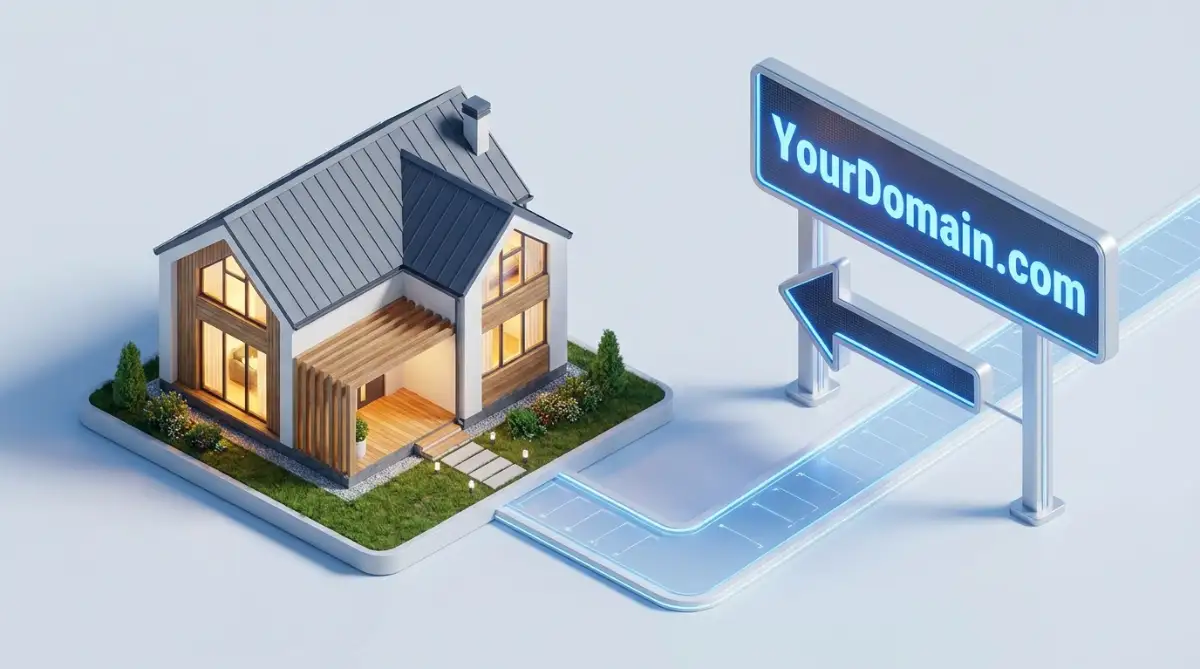
For everything to work, you must connect the two. You need to tell the internet that your address belongs to that specific house.
In the tech world, we use a bridge called Nameservers. Think of this as the city records office.
You tell the office, "This address (Domain) belongs to this building (Hosting)." Once they update their records, anyone who types in your address will be taken straight to your front door.
Step 1: Claiming Your Name (Domain Registration)
The very first thing you should do is find your name. This is called Domain Registration. It is like registering a business name with the government.
How to Choose a Winning Name
You want a name that is easy to remember. If you have to spell it out every time you say it, it is probably too complicated.
Avoid using numbers or hyphens. They make it hard for people to find you when they are typing quickly.
Most people choose a .com extension. It is the most trusted and famous one in the world. If you can't get the .com, you might look at .net or .org.
Expert Tips for Choosing a Domain:
- Keep it Short: Aim for 2-3 words maximum.
- Avoid Hyphens: People often forget to type them, sending traffic to your competitors.
- Brandable over Keywords: "CookingWithSam.com" is better than "Best-Cheap-Easy-Cooking-Tips-Online.com."
- Social Check: Make sure the same name is available on Facebook and Instagram before you buy it.
Where to Register Your Name
You buy your name from a company called a Domain Registrar. There are many of them out there.
When you buy a domain, you are usually paying for one year at a time. It is like a yearly subscription for your digital identity.
Expert Tip: Always make sure you use your own email address to sign up. You want to be the 100% legal owner of your name. Don't let someone else do this for you under their account.
Step 2: Finding a Place to Live (Web Hosting)
Once you have your address, you need to rent your digital space. This is where Web Hosting comes in.
Picking the Right Type of Space
You don't need a mansion if you are just starting out. You want something that fits your current needs but can grow with you later.
- Shared Hosting: This is like living in a friendly apartment building. You share the costs with others. It is perfect for new blogs and small sites.
- Managed Hosting: This is like living in a condo where someone else mows the lawn and fixes the sink. It costs a bit more, but it is very easy.
- Dedicated Hosting: This is a giant private estate. It is for huge websites like Amazon or Netflix. You probably don't need this yet!
What Makes a Host "Good"?
You want a host that is fast and always working. If your "house" is locked or the lights are out, your visitors will leave and never come back.
Look for a company that offers "24/7 Support." If you have a question at 2 AM, you want someone there to help you.
Also, check for a "Free SSL Certificate." This is a little green padlock you see in the browser. It keeps your visitors safe and helps your site look professional.
Step 3: Connecting the Dots (The DNS Bridge)
Now comes the "magic" part. You have your name at one place and your hosting at another. Now we have to link them.
How to Link Them Like a Pro
When you sign up for hosting, they will send you a "Welcome Email." Inside that email, look for something called Nameservers. They usually look like ns1.examplehost.com.
You go back to the place where you bought your domain. Find the setting that says "DNS" or "Nameservers." Paste those links in and click save.
The Waiting Period
This part requires a little bit of patience. The internet has to tell every other computer in the world about your new connection.
This is called Propagation. It usually takes a few hours, but sometimes it can take a full day.
Don't worry if your site doesn't show up immediately. Just grab a cup of coffee and check back in a little while. The digital world is working behind the scenes for you!
One big mistake I made early on was buying the cheapest hosting I could find from a company with no customer support. When my site crashed on its second day, I had no one to help me and I felt like giving up.
My biggest tip is to always pick a host with a 24/7 live chat—it will save your sanity when you have a question at midnight!
I found this really simple video that shows you exactly how to link your name to your house in just a few clicks, so you can see it happen live!
Myth vs. Reality: Saving Your Money
Let's clear up some common lies that might cost you extra money.
Myth: You must buy domain and hosting from the same place.
Reality: You can keep them separate. In fact, many experts like to keep them separate so they have more control. It also makes it easier to move your site later if you want a better host.
Myth: A domain name is a one-time payment.
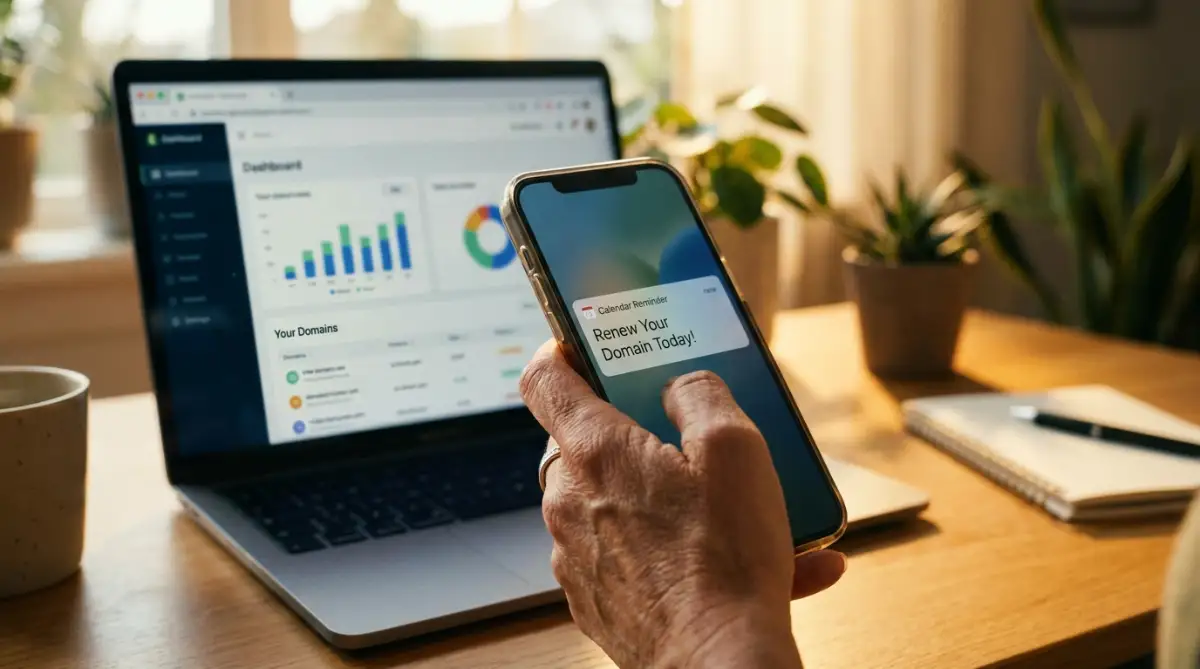
Reality: You have to renew it every year. If you forget, someone else could buy your name! Set it to "Auto-Renew" so you never lose your identity.
Myth: Expensive hosting makes your site better.
Reality: A fast site is good, but a $100-a-month plan won't help if you don't have any visitors yet. Start small and save your money for your content.
Real-Life Story: Mike’s New Blog
Let's look at Mike. Mike wanted to start a site about solar energy for homes.
He was confused at first. He almost spent $300 on a fancy "Website Package." But then he learned the secret of the house and its address.
Mike went out and bought SunnyHomeTips.com for about $12. Then he found a solid shared hosting plan for $5 a month.
He spent 10 minutes connecting his nameservers. By the next morning, his site was live. He saved over $200 in his first year just by knowing the difference between the address and the house.
You can do the same thing. You don't need to be a genius; you just need to follow the simple steps.
Why You Should Care About This Now
Building a website is like building a real house. If the foundation is shaky, the whole thing might fall down later.
By understanding these two parts, you are taking the keys to your own digital future. You won't have to rely on expensive "experts" to do the basic things for you.
You are gaining a new skill. In our world, knowing how the web works is like knowing how to read. It opens up doors that were closed before.
Whether you want to sell products, share your thoughts, or help people with their problems, this is where it starts. You have your address. You have your house. Now, it’s time to start decorating.
Mastering the Digital Property Game
Now that you know the basics of your "House and Address," it is time to look at some expert ways to manage them.
Most people stop after buying their domain, but that is where the real work begins.
If you want a website that grows and stays safe, you need to think like a pro. These extra steps will help you stay ahead of the crowd and save you from future headaches.
Protecting Your Private Identity
When you register a domain, your personal info goes into a public list called WHOIS. This includes your name, email, and phone number.
Spammers and telemarketers love to crawl this list. They will start calling you or sending you fake bills that look very real.
Pro Tip: Always buy Domain Privacy Protection. Many good registrars now include this for free. It replaces your personal info with the company’s info, keeping you hidden from prying eyes.
It is just like having an unlisted phone number. You still own the property, but nobody can find out who you are just by looking at the address.
Picking a Name That Search Engines Love
Before you hit the buy button, think about how people will find you. Using the right words in your name can give you a small head start.
This is where understanding the impact of keyword research on search engine ranking becomes very helpful. You want to pick a name that tells the world what you do.
For example, if you are teaching people about solar power, having the word "Solar" in your domain name is a smart move. It helps both people and computers understand your site's topic instantly.
The Secret of Server Location
Many beginners don't realize that the physical location of their hosting server matters a lot. If your house (server) is in London, but your visitors are in New York, the site will load a bit slower for them.
The data has to travel across the ocean every time someone clicks a link. In the digital world, even a one-second delay can make a visitor leave.
Try to pick a host with servers near your target audience. If you are serving people in the USA, make sure your host has a data center in a US city like Chicago or Dallas.
This keeps your site "snappy" and fast. Fast sites make people happy, and they also make search engines happy.
Managing Your Digital Move
Sometimes, you might find that your hosting company isn't doing a good job anymore. Maybe the site is slow, or the support team is rude.
The great thing is that you are not stuck forever. Since your domain and hosting are separate, you can move your "house" to a new "plot of land" whenever you want.
This is like moving your furniture to a better apartment while keeping the same phone number.
It takes a little bit of technical work, but it gives you the freedom to always choose the best service.
You should always be aware of why your hosting is quietly killing your business if you notice things getting slow. Don't be afraid to change hosts if the current one isn't treating you right.
The Power of Multiple Addresses
Some successful business owners buy more than one domain name. They might buy the .com, the .net, and the .org of their brand name.
Why do they do this? It prevents competitors from stealing their traffic. They then "forward" all those extra names to the main site.
It is like having several signs in different parts of town that all point to the same shop. It isn't necessary when you are just starting, but it is a great strategy as you grow.
Thinking Long-Term with Your Assets
A domain name is a digital asset that can gain value over time. If you build a popular site, that name becomes very valuable.
Think of it as real estate in a growing neighborhood. The longer you own it and the better you treat it, the more it is worth.
Treat your hosting like a utility bill. You want to pay the lowest price possible while still getting high-quality service. Never pay for "extra features" that you don't understand or don't use.

Traps and Pitfalls: What to Watch Out For
Building a site is exciting, but it is also easy to make mistakes that cost you time and money. Here are some of the most common traps beginners fall into.
The "Free" Domain Trap
Some hosting companies offer a "Free Domain for Life." This sounds like a great deal, but there is often a catch.
Sometimes, they make it very hard for you to move that domain away if you decide to change hosts. They might charge you a massive fee to "release" the name.
It is often better to pay the $10 or $12 for your domain at a separate registrar. This way, you have total control and no strings attached.
Forgetting the Renewal Date
This is the most painful mistake of all. If you forget to pay your yearly domain fee, your name goes back into the "open market."
Professional domain hunters use software to snatch up expired names the second they become available. They will then try to sell your own name back to you for thousands of dollars.
Action Item: Always turn on Auto-Renew. Also, make sure your credit card on file is up to date. This simple step protects your entire online identity.
Buying Too Many Add-ons
When you go to checkout, the company will try to sell you "Site Backups," "Security Scanning," and "SEO Tools." They make it sound like your site will explode if you don't buy them.
Most of these are not needed right away. You can often get these same features for free using simple plugins.
Don't let them scare you into spending an extra $50. Stick to the basics until you actually have enough traffic to need more.
Ignoring Your Site Backups
Imagine waking up one day and finding that your website files are gone because of a server crash or a hack. It happens more often than you think.
While hosting companies say they take backups, you should never trust them 100%. You must have your own copy of your files.
You should always stop losing files with an easy system that actually works. Having a backup on your own computer or in the cloud means you can sleep better at night.
Working on Public Wi-Fi Without Protection
When you are logging into your hosting account or your domain settings, you are handling very sensitive data.
If you do this at a coffee shop or airport, someone could steal your login info.
Once they have your password, they can steal your domain or delete your site. It is a nightmare scenario.
Always make sure you understand how a VPN encrypts your data on public Wi-Fi networks. This simple layer of security keeps your digital property safe from hackers.
Your Path to a Successful Website
You now have a better understanding of the web than 90% of the people who start a blog. You know the difference between the address and the house. You know how to save money and avoid the common traps.
A Quick Recap of Your Journey
- Your Domain: This is your address. Keep it short, memorable, and always owned by you.
- Your Hosting: This is your house. Choose a host that is fast and has great support.
- The Connection: Use nameservers to link the two together and wait for the "magic" to happen.
- Security: Keep your identity private and always use a VPN when working in public.
- Maintenance: Set everything to auto-renew and keep your own backups of your work.
Take Action Today
The most important step is the one you take right now. Don't let the technical terms scare you anymore.
You don't need to know everything to get started. You just need to know enough to take the first step. Buy your name, rent your space, and start sharing your ideas with the world.
The internet is waiting for your voice. Whether it is a blog, a store, or a portfolio, your online home starts with these two simple pieces.
Go out there and claim your piece of the digital world. You have the map, the tools, and the knowledge. Now, it is time to build something amazing!
Looking back, I realize that these technical steps were just tiny bumps in the road to something great. Once I got my domain and hosting set up, everything else started to feel easy and fun.
Don't let a few weird words stop you from sharing your ideas—take that first step today and you'll be amazed at what you can build!
Disclaimer: This article is for informational purposes only. Web hosting and domain registration involve third-party services and financial agreements. We do not guarantee specific results or technical success. Always read the terms and conditions of any service provider before making a purchase. Individual experiences may vary based on technical skills and service choices.
FAQ Section:
Q: Can I buy a domain now and hosting later?
A: Yes! You can grab your perfect name today and wait until you are ready to build the site before paying for hosting.
Q: Do I own my domain forever?
A: No. You "rent" it on a yearly basis. As long as you keep paying the yearly fee, it stays yours.
Q: What happens if I don't renew my hosting?
A: Your website files will be deleted, and your "address" will lead to an error page. Always keep backups!