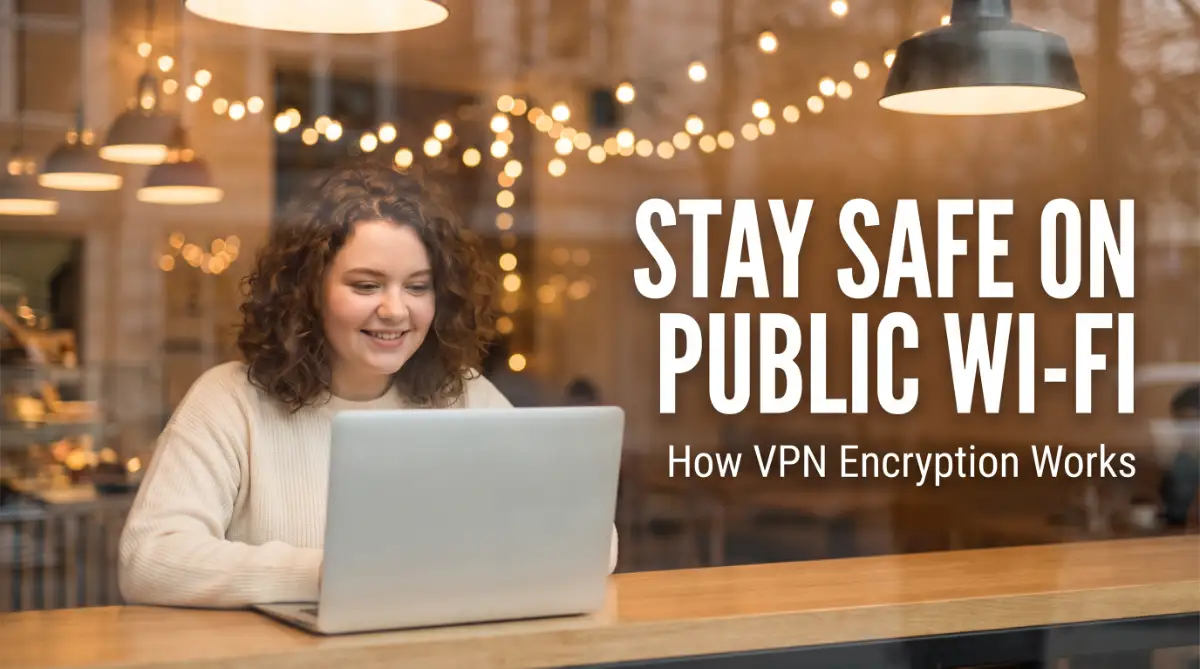
I used to jump on every free Wi-Fi signal I could find. To me, it was just a way to save mobile data while grabbing a coffee. But after a close call with my bank account, I realized I was basically leaving my digital front door unlocked in a room full of strangers.
If you're using public networks without protection, you're taking a huge risk with your private life. Here is exactly how I fixed that and how you can too.
🛑 Stop and Read: Your 60-Second Security Brief
If you are in a rush, here are the most vital things I want you to know about staying safe:
- Public Wi-Fi is an Open Book: Without a VPN, anyone on the same network can potentially see your passwords and bank info.
- VPNs are Your Digital Shield: They wrap your data in a secret code that hackers can't read.
- Incognito Mode isn't Enough: It doesn't protect your connection; it only hides your history on your own device.
- Always use a Kill Switch: This simple setting keeps your data from leaking if your internet drops for a second.
The Hidden Dangers of Connecting to Free Public Wi-Fi
We have all been there. You walk into a coffee shop, a mall, or an airport, and your phone finds a "Free Wi-Fi" signal. It feels like a gift.
You connect quickly to check your emails or browse social media. But while you are enjoying that free connection, someone else might be watching your every move.
Most people don't realize that their data is flying through the air like a postcard that anyone can read. When you use an open network, your device sends information in a way that is easy to grab. This is a big problem because we use our devices for everything today.
We trust these networks with our most private information without thinking twice. The reality is that free Wi-Fi comes with a hidden price. That price is your privacy and your digital safety.
| Common Myth | The Cold Reality |
| I only visit safe sites, so I'm fine. | Hackers watch the connection, not just the site. |
| Password-protected Wi-Fi is 100% safe. | Even shared passwords allow others on the net to peek at your data. |
| Incognito mode hides my activity. | It only hides history from your family, not from hackers. |
| Hackers only target rich people. | Bots scrape data from everyone; your $50 is just as good as $5000. |
Why do so many people fall into this trap? It usually happens because:
- Free internet is hard to resist when you are away from home.
- Most people think that a "Login Page" means the network is safe.
- There is a lot of confusing talk about "encryption" that scares regular users away.
- Hackers create fake hotspots with names like "Free Coffee Shop Wi-Fi" to trick you.
- Users assume their phone's built-in security is enough to stop a professional attacker.
This constant threat can really mess with your peace of mind. You might start feeling anxious every time you log in to your bank app away from home. You worry that one wrong click could lead to your identity being stolen.
This fear kills your confidence and makes you feel exposed. It feels like someone is looking over your shoulder every time you type. You deserve to use the internet without feeling like a target. Without a proper tool, you are basically leaving your front door wide open in a crowded city.
The emotional weight of being a victim of a cyberattack is heavy. It takes weeks or even months to recover a stolen account. Sometimes, you never get your photos or files back. It is a deep violation of your personal space.
We spend so much time building our digital lives, yet we leave them so vulnerable. This is why understanding how to protect yourself is not just a tech skill. It is a necessary part of modern life for anyone who owns a smartphone or a laptop.
How a VPN Builds a Digital Shield Around Your Data
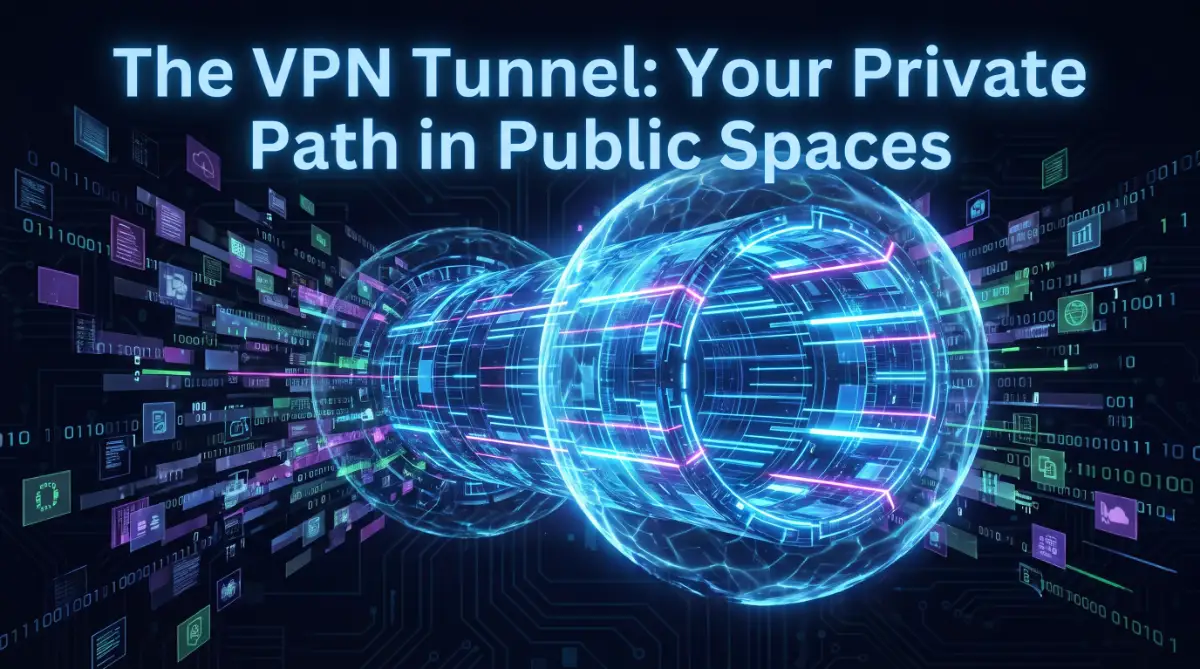
A Virtual Private Network, or VPN, is the best way to fix this problem. It acts like a secure, private tunnel for your data. When you use a VPN, your information doesn't just float around for everyone to see.
It is hidden inside a layer of heavy protection. This process is what we call encryption. Let’s break down exactly how this works in simple steps so you can feel safe the next time you connect.

Step 1: Creating the Secure Virtual Tunnel
The first thing a VPN does is establish a connection between your device and a safe server. Imagine you are in a crowded room where everyone is shouting. Instead of shouting back, you and your friend use a private tube to whisper to each other.
No one else in the room can hear what you are saying. That is what a VPN tunnel does for your internet traffic. When you click "Connect" on your VPN app, it builds this tunnel instantly. All your data travels through this path.
Even if a hacker is sitting on the same Wi-Fi network, they cannot see inside the tunnel. They might see that you are connected to a VPN, but they have no idea what you are doing. This is the first and most important step in staying invisible online.
It changes your public connection into a private one. You don't need to be a tech expert to make this happen. Most modern apps do all the hard work for you with just one tap. This makes it easy for anyone, from students to grandparents, to stay safe.
My Quick 'Coffee Shop' Security Checklist:
Before you even order your latte, run through these three things:
- Turn off Auto-Join: Stop your phone from connecting to random networks without asking you.
- Forget the Network: Once you leave, tell your phone to 'Forget' that Wi-Fi so it doesn't reconnect later by mistake.
- Check the Name: Always ask the staff for the exact name of their Wi-Fi. Hackers often set up fake ones called 'Free_Coffee_Guest' to trick you.
By creating this tunnel, you are taking control of your own digital space. You are no longer part of the "public" network. You are in your own secure bubble, away from prying eyes.
Wait! Before you read the steps, check out this simple video that shows exactly how a VPN tunnel works. Seeing how your data is hidden makes it much easier to understand why you need this protection every day!
Step 2: Scrambling Your Information with Encryption
Once the tunnel is ready, the VPN starts the encryption process. This is like turning your clear text into a secret code. If you send a message saying "Hello," the VPN turns it into a long string of random numbers and letters.
To anyone without the secret key, it looks like complete gibberish. This is the same type of security that banks and governments use to protect their secrets.
The most common type of encryption used today is AES-256. This is a very strong code that would take a supercomputer billions of years to break.
When your data is encrypted this way, it doesn't matter if a hacker steals it. They simply cannot read it. It is like stealing a locked safe without having the combination.
The contents inside remain perfectly safe and private. This scrambling happens in real-time as you browse. It doesn't slow you down much, but it adds a massive layer of safety.
You can type in your credit card numbers or your email passwords with confidence. The VPN ensures that only you and the website you are visiting can understand the data.
This is how you win the fight against data thieves. You make your information useless to them.
Step 3: Hiding Your Real IP Address and Location
Every time you connect to the internet, your device has a digital home address called an IP address. This address can tell websites and hackers where you are located.
It can even be used to track your browsing habits over time. When you use a VPN, your real IP address is hidden.
Instead, you get a new address from the VPN server. This is a great way to stay anonymous. If you are in New York but connect to a server in London, the internet thinks you are in the UK.
This prevents websites from building a profile on you based on your location.
It also stops hackers on a public Wi-Fi network from targeting your specific device. You become just another anonymous user in a sea of data. Hiding your location also has other benefits.
It keeps your browsing history private from your internet service provider.
They can see that you are using a VPN, but they cannot see which websites you visit. This gives you a level of freedom that is hard to find on the modern web.
You are essentially wearing a digital mask that protects your true identity. It is a simple but very effective way to stay safe.
The Science Behind the Secure Connection
You might wonder how your device knows how to talk to the VPN server. This is done through something called a "protocol."
Think of a protocol as a set of rules for the secret tunnel. Some protocols are built for speed, while others are built for maximum security.
Most good VPN apps pick the best one for you automatically. These protocols use complex math to ensure that the connection is stable and safe.
They check to make sure that no one has tried to change your data while it was moving. This is called "data integrity."
It doesn't rely on luck or simple passwords. It relies on the laws of physics and advanced computer science. This is why security experts always suggest using one.
It is a proven method to keep hackers at bay. When you use a VPN, you have the best technology in the world working to protect you.
Why Regular Browsers Cannot Protect You Alone
Many people think that using "Incognito Mode" or "Private Browsing" keeps them safe on public Wi-Fi. This is a very common and dangerous mistake. Private mode only hides your history from other people who use your computer.
It does nothing to protect your data as it travels across the Wi-Fi network. Your ISP, the Wi-Fi owner, and hackers can still see everything you do.
A VPN is much more powerful than a private browser tab. It protects the actual connection, not just the history on your screen.
While a private tab is good for hiding a gift purchase from your spouse, it won't stop a hacker at the airport. You need a tool that works at the network level. A VPN is that tool.
It provides the deep security that your browser simply wasn't designed to handle. By combining a safe browser with a VPN, you get the best of both worlds.
You keep your local history clean and your online data encrypted. This is the gold standard for internet privacy. It shows that you are taking a professional approach to your security.
Don't rely on basic browser features when your personal information is on the line. Use a tool that was built for the job.
For a long time, I thought clicking "Incognito" made me invisible to everyone on the network. I was shocked to learn that I was still wide open to hackers sitting just a few tables away.
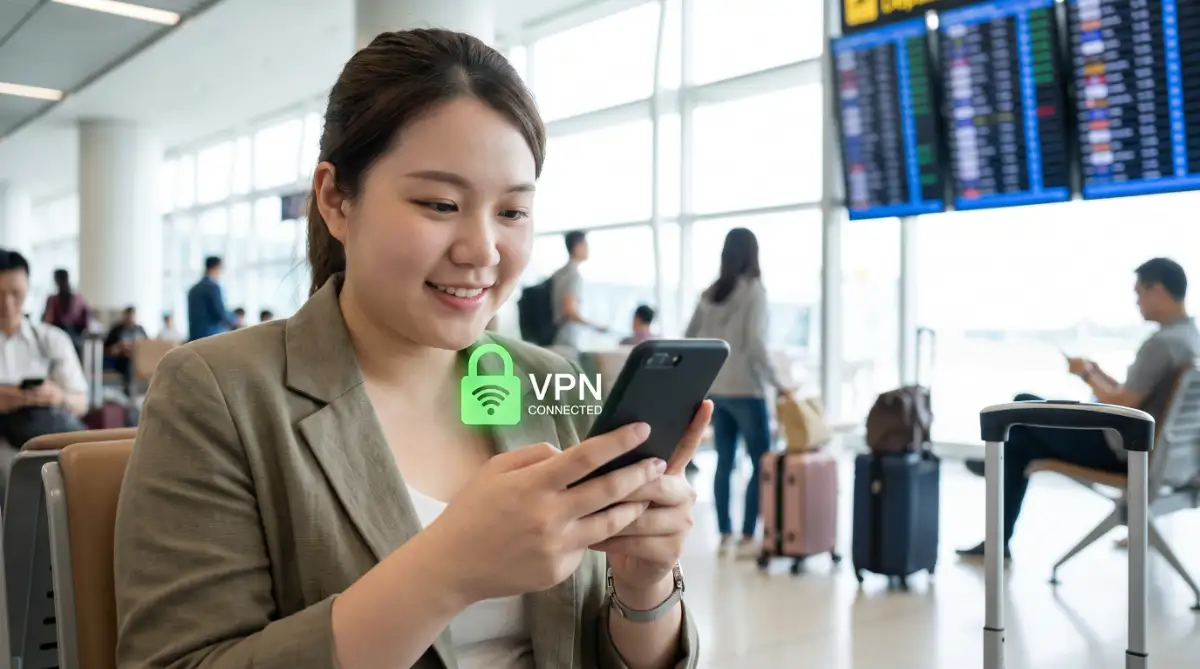
My best tip is to treat your VPN like a seatbelt—don't even start your browser until you have clicked that "Connect" button and seen the shield turn green.
Protecting Your Mobile Life on the Go
We use our phones more than our computers these days. Our phones are always searching for Wi-Fi to save on data costs.
This means your phone is often connecting to public networks without you even knowing it. This makes mobile security a top priority.
Most people have their banking apps, social media, and private photos all on one device. A mobile VPN is designed to be lightweight and fast. It stays on in the background and protects you as you move from one network to another.
If you leave your house and walk into a mall, the VPN will automatically secure the new connection. This "Always-on" protection is a lifesaver for busy people.
You don't have to remember to turn it on every time you see a new Wi-Fi signal. Modern mobile apps are very smart.
They know how to save your battery while still keeping you safe. You won't even notice it's there until you realize how much safer you feel.
It is a small change that makes a huge difference in your daily life. Your phone is a gold mine of data; make sure it is locked tight with a VPN.
Safe Practices for the Best Results
Using a VPN is a great first step, but you should also follow some simple rules. First, always make sure your VPN is updated. Developers often release updates to fix new security threats. Second, try to avoid free VPNs that you find in app stores.
These "free" services often sell your data to advertisers to make money. This defeats the whole purpose of using a VPN in the first place. Instead, look for a service that has a "No-logs" policy.
This means they don't keep a record of what you do online. Even if someone asked them for your history, they wouldn't have anything to give.
This is a very important feature for true privacy. You want a company that respects your data as much as you do. Spending a small amount on a trusted service is a smart investment in your safety. Finally, remember to turn on the "Kill Switch" feature if your VPN has one.
This feature will cut your internet connection if the VPN drops for a second. This prevents your real data from leaking out onto the public Wi-Fi by accident. It is an extra safety net that ensures you are never unprotected.
These small settings make your security much stronger. Disclaimer: This article is for informational purposes only. While a VPN significantly increases your online security, no tool can guarantee 100% protection against all cyber threats.
Always practice safe browsing habits, use strong passwords, and keep your software updated to stay as safe as possible online. All product names and trademarks mentioned belong to their respective owners.
Taking Your Online Safety to the Next Level
Using a basic connection is often the first thing people do when they get a new VPN. But if you want to be truly safe, you need to look at some advanced settings.
These "pro-level" secrets help make sure your data stays hidden even if the network is very weak.
According to security experts at Forbes, a well-configured VPN is the single most effective tool for personal privacy. You are not just hiding your traffic; you are building a wall that hackers cannot climb.
If you are a frequent traveler, you know how hard it is to stay connected. You might be jumping from one airport Wi-Fi to a hotel network every few hours. This constant switching can sometimes drain your device.
If you are worried about your hardware, learning how to extend the battery lifespan of a modern laptop is a great idea. A good VPN app should be efficient, but knowing how to manage your device helps you stay protected for longer periods.
Step 4: Mastering the Art of Server Selection
Most people just click the "Quick Connect" button and let the app choose for them. This usually connects you to the closest server to keep your speed high. While this is fine for basic browsing, it is not always the best for high-level security.
If you are doing something sensitive like online banking, you should choose a server in a country with strong privacy laws. Some countries have rules that protect users more than others. You should also look for "Obfuscated Servers" if your VPN offers them.
These are special servers that hide the fact that you are even using a VPN. To the Wi-Fi owner or a hacker, your traffic looks like regular, unencrypted web browsing. This is a great secret for bypassing strict firewalls in hotels or certain countries.
It adds a second layer of "invisibility" to your already encrypted data. Think of it like a spy wearing a regular suit over their armor. On the outside, everything looks normal, but underneath, you are fully protected. This is how you stay one step ahead of anyone trying to track your digital footprint.
It takes only a few extra seconds to pick the right server, but the protection it offers is massive. You should experiment with different locations to see which ones offer the best mix of speed and safety.
Step 5: Utilizing Advanced Security Protocols
Not all encryption methods are the same. In your VPN settings, you will see options like OpenVPN, IKEv2, or WireGuard. WireGuard is a newer protocol that is very fast and uses modern math to keep you safe.
OpenVPN is an older, very trusted method that is great for staying secure on unstable networks. Choosing the right one can make your public Wi-Fi experience much smoother. If you are on a mobile device and moving around a lot, IKEv2 is often the best choice.
It is very good at reconnecting if your Wi-Fi signal drops for a moment. This ensures that your "secret tunnel" stays open even if you walk behind a thick wall or lose the signal. Most apps pick this for you, but knowing when to switch can save you a lot of trouble.
It is like choosing the right tires for your car depending on the weather. You should also look into "Double VPN" or "Multi-hop" features. This sends your data through two different servers in two different countries. It makes it nearly impossible for anyone to trace the data back to you.
While it might be a bit slower, it is the ultimate choice for someone who needs maximum privacy. It is like putting a lock inside another lock; even if someone breaks the first one, they are still stuck outside.
Maintaining Your Long-term Digital Security
Staying safe is not a one-time job; it is a habit you build over time. You should check for app updates every single week. Hackers are always finding new ways to break into systems, and developers are always fixing those holes.
If you use an old version of a VPN, you might be leaving a small window open for an attack. Keeping everything updated is the easiest way to stay ahead of the game.
You also need to think about your digital budget. Good security costs a little bit of money, but it is worth it.
If you have a tight income, you can learn how to create a realistic monthly budget to include your software costs.
Buying a two-year or three-year plan for a VPN is usually much cheaper than paying monthly. It is a small price to pay for the peace of mind you get every time you log in.
Another key part of long-term health is using Multi-Factor Authentication (MFA). Even with a VPN, you should have a second way to prove who you are when logging into your accounts. This usually involves a code sent to your phone or an app.
This way, even if a hacker somehow gets your password, they still cannot get into your account. Combining a strong VPN with MFA makes you a very difficult target for any digital thief.
Dangerous Mistakes That Leave You Exposed
Even with a VPN, you can still put yourself at risk if you are not careful. Many people think the app is a "magic shield" that fixes every mistake. That is not true. You still have to be smart about how you use the internet.
Let's look at the five most common errors that can lead to big problems for you.
1. Relying on Free VPN Services
This is perhaps the biggest mistake of all. As the experts at Norton explain, running a VPN network is very expensive. If a company is giving it away for free, they are likely making money in other ways.
Often, they sell your browsing data to advertisers or trackers. This is exactly what you are trying to avoid by using a VPN in the first place! It is like hiring a guard who lets people in through the back door for a fee.
2. Forgetting to Enable the Kill Switch
Most people don't even know what a Kill Switch is. This feature shuts down your internet if the VPN connection fails for even a second. Without it, your device might switch back to the "naked" public Wi-Fi without you knowing.
During that one second, your bank password or private messages could be leaked. Always go into your settings and make sure the Kill Switch is turned "ON." It is your final safety net.
3. Thinking Incognito Mode is Enough
We talked about this before, but it is worth saying again. Incognito mode only hides your history from people using your actual computer. It does absolutely nothing to encrypt the data moving through the air.
If you use incognito on public Wi-Fi without a VPN, everyone on the network can still see what you are doing. Don't let the name "private" fool you into thinking you are secure. It is a local privacy tool, not a network security tool.
4. Ignoring Browser Leaks (DNS and WebRTC)
Sometimes, your browser might accidentally send your real IP address even when the VPN is on. This is called a "leak." You can find free websites online that test for VPN leaks.
If you see your real location on the screen while the VPN is active, you have a problem.
You might need to change your browser settings or use a different VPN protocol. It is like having a secret tunnel with a small hole in the side that lets people peek in.
5. Staying Logged Into Sensitive Accounts
Even with a VPN, it is not a good idea to stay logged into your bank or medical accounts on public Wi-Fi for long. Log in, do your business, and then log out immediately. This reduces the "window of opportunity" for any potential attack.

It is just a good habit to have. You wouldn't leave your wallet sitting on a cafe table while you went to the bathroom, even if there was a guard nearby. The same logic applies to your digital life.
Embracing a Safer Digital Future Today
Protecting your data on public Wi-Fi is one of the best things you can do for your peace of mind. We live in a world where our information is constantly being tracked and sold. By using a VPN, you are taking a stand for your own privacy.
You are deciding that your messages, your photos, and your money belong to you and no one else. This is a very powerful and positive step to take in the modern age.
Just like you know why comprehensive car insurance is essential, you must realize that digital insurance is just as important. Your data is an asset, and it deserves to be protected by the best tools available.
When you have a VPN active, you can enjoy that free coffee shop Wi-Fi without any of the stress.
You can finish your work, talk to your friends, and browse the news with full confidence. It makes the internet feel like a much friendlier place. I want to encourage you to start this habit today.
Don't wait until you have a bad experience to start thinking about security. Go through your settings, pick a strong protocol, and make sure your Kill Switch is ready.
The more you use these tools, the more natural they will feel. You will soon find that you don't even think about it anymore; it just becomes part of your routine.
You are becoming a smart, savvy user who knows how to navigate the digital world safely. The internet is a wonderful tool for learning and connecting.
It should be a place where you feel free to explore. By using encryption, you are making sure that freedom stays intact. You have the power to stay invisible to hackers and trackers alike.
Take that power and use it to protect your future. Stay safe, stay private, and enjoy every bit of the digital world with your new shield. You’ve got this!
Taking back my digital privacy felt like a huge weight was lifted off my shoulders. I feel so much more relaxed now when I work from a coffee shop, knowing my private messages and bank details are actually private.
Start using a VPN today; it is the easiest way to give yourself the safety you deserve while you enjoy everything the internet has to offer.
Disclaimer: This article is provided for informational and educational purposes only. While a VPN is a powerful security tool, it does not provide absolute protection against all forms of cybercrime, such as phishing, malware, or human error.
Users are encouraged to combine VPN usage with other security measures like strong passwords and updated software. We do not endorse any specific VPN provider, and users should conduct their own research before choosing a service. Always comply with local laws regarding VPN usage in your region.