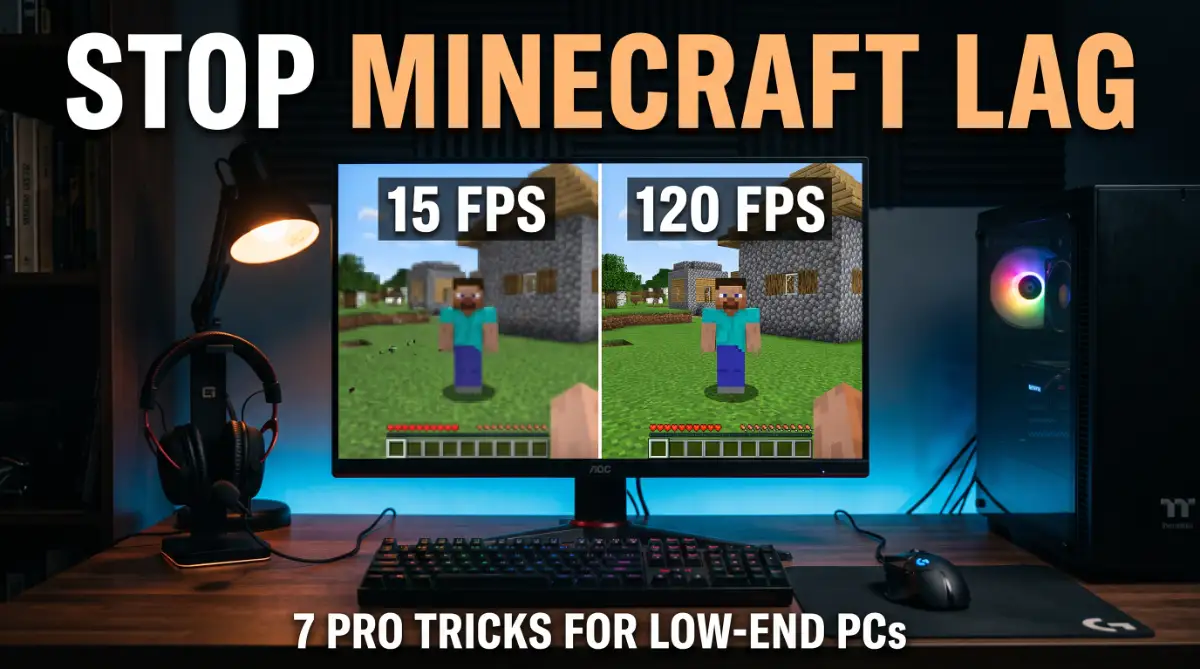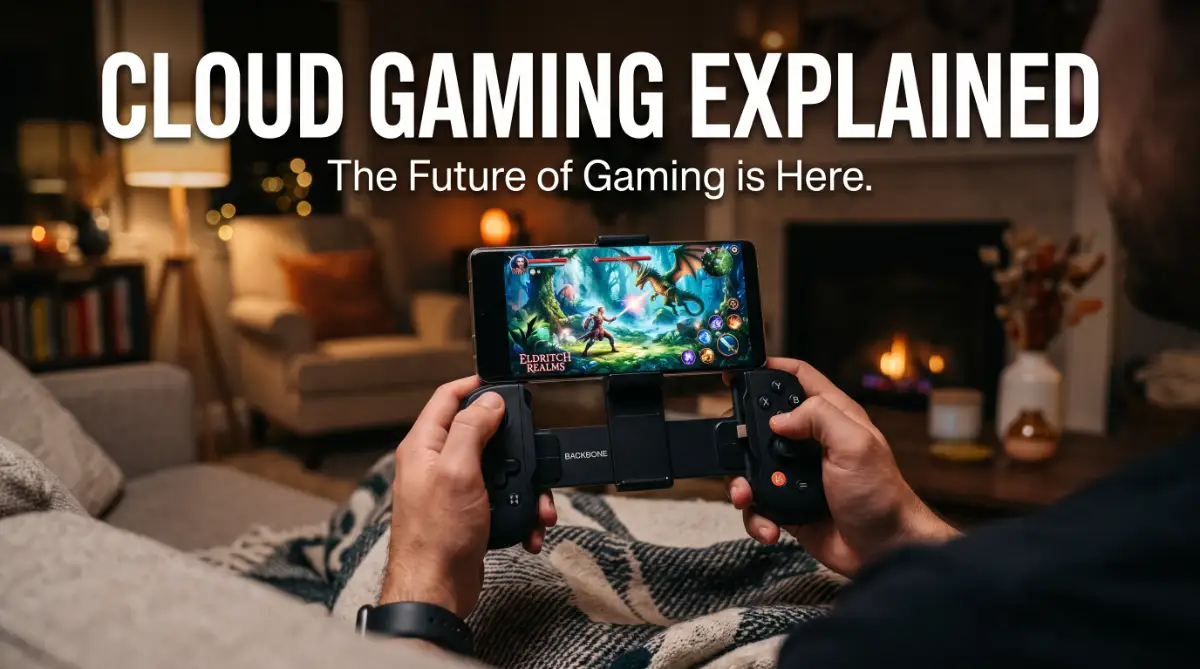
I spent years watching game trailers, knowing my "potato" laptop would probably catch fire if I even tried to open the start menu. It’s a gut-wrenching feeling when you love gaming but your bank account says no to a $1,500 PC.
Thankfully, I found a way to play the biggest games without buying a single new part, and I want to show you how.
The Heartbreak of Seeing "System Requirements Not Met"
You see a trailer for the newest open-world masterpiece. Your excitement builds as you watch the stunning graphics and fluid combat. Then, you scroll down to the "System Requirements" section on the store page.
Suddenly, your heart sinks. Your laptop only has an integrated graphics card. You don't have $1,500 to spend on a new gaming rig or a high-end console.
This is the reality for millions of gamers today. High-end gaming has become a luxury that requires expensive hardware and constant upgrades. If you don't have the latest GPU, you are left behind in the dust.
Quick Summary: How to Play Today
- The Problem: High hardware prices and massive game downloads.
- The Solution: Cloud gaming—streaming games like a Netflix movie.
- Requirement: A stable internet connection (at least 15-25 Mbps).
- Hardware: You can use your old phone, laptop, or even a smart TV.
- Top Tip: Use a 5GHz Wi-Fi or an Ethernet cable for zero lag.
Why Finding a Smooth Gaming Experience Feels Impossible

Most people try to find workarounds, but they often lead to even more frustration. Here is why the struggle is real for the average person:
- Insane Hardware Prices: Building a decent gaming PC now costs more than a used car in some places.
- Massive Download Sizes: Games now take up 150GB or more, filling up your hard drive instantly.
- Technical Jargon: Trying to understand RAM, VRAM, and CPU bottlenecks feels like learning a new language.
- Constant Updates: You finally have an hour to play, but the game needs a 40GB update first.
- Misleading Software: Many "game booster" apps claim to speed up your old PC but they actually do nothing.
Breaking the Chains: Your Device is No Longer the Limit
What if I told you that the device in your hand doesn't matter anymore? Imagine playing the most demanding games on a five-year-old MacBook or a budget Android phone.
Cloud gaming is the answer to this dream. It is changing the rules of the game by moving the heavy lifting away from your desk. You no longer need to own a supercomputer to have a super experience.
This technology is not just a fancy trick. It is a massive shift in how we think about digital entertainment. Let’s look at how this magic actually happens behind the scenes.
The Simple Logic: Think of it as the "Netflix of Games"
To understand cloud gaming, you first need to think about how you watch movies. In the past, you had to buy a physical DVD and put it in a player. The player did all the work to show the movie.
Today, you just open an app and press play. The movie lives on a server far away. It travels to your screen through the internet. Cloud gaming works in almost exactly the same way.
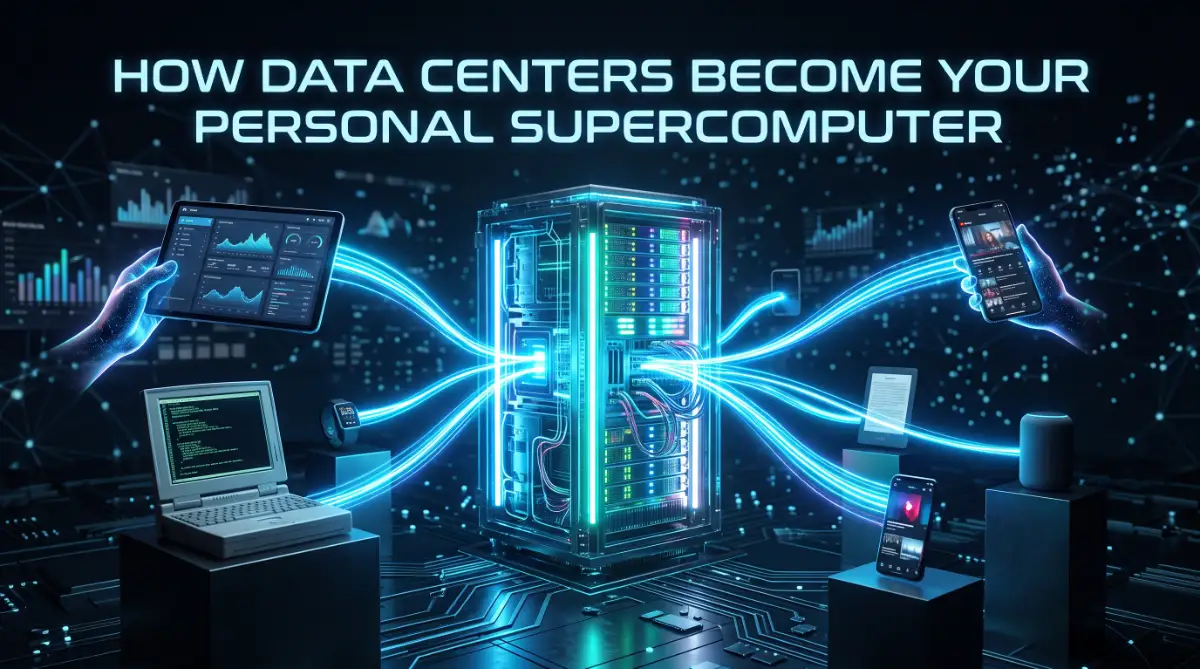
Instead of a movie file, there is a powerful computer running a game in a data center. When you press a button on your controller, that signal goes to the remote computer.
The computer processes the move and sends the video back to you.
Still not sure how it works? Watch this short video to see a side-by-side comparison. It really shows how you can play "heavy" games on almost any screen without spending a fortune on parts!
How the Magic Happens: The Three-Step Loop
The process happens so fast that it feels like the game is right there on your device. Here is the breakdown of how the data travels back and forth:
Step 1: Sending Your Commands to the Sky
When you tap your screen or click your mouse, that input is packaged into data. This data travels through your router and out to the game server. This needs to happen in milliseconds.
The better your internet connection, the faster this signal reaches its destination. Think of this as sending a text message that needs to arrive instantly.
My biggest mistake when I first tried this was trying to play on a weak Wi-Fi signal in my bedroom while my family was streaming movies downstairs.
I almost gave up because of the lag, but then I tried using a cheap ethernet cable to plug in directly. That one tiny change made my "slow" laptop feel like a high-end gaming beast instantly.
Step 2: The Powerhouse Server Does the Work
Once the server receives your command, it acts like a giant brain. It calculates where your character moves or where the bullet hits. These servers use high-end parts that would cost you thousands of dollars.
The server renders the game in high definition. It creates the beautiful lighting and shadows you see on the screen. Your own device is doing almost zero work during this phase.
Step 3: Streaming the Video Back to You
This is the most impressive part. The server "records" the gameplay and streams it back to your device as a video feed. It is like a live YouTube stream that you can control.
Your phone or laptop only has to do one thing: play the video. Since every modern device can play HD video, almost anything can become a gaming machine.
Why This Changes Everything for the Casual User
You might wonder why this is better than just saving up for a console. The benefits go far beyond just saving money.
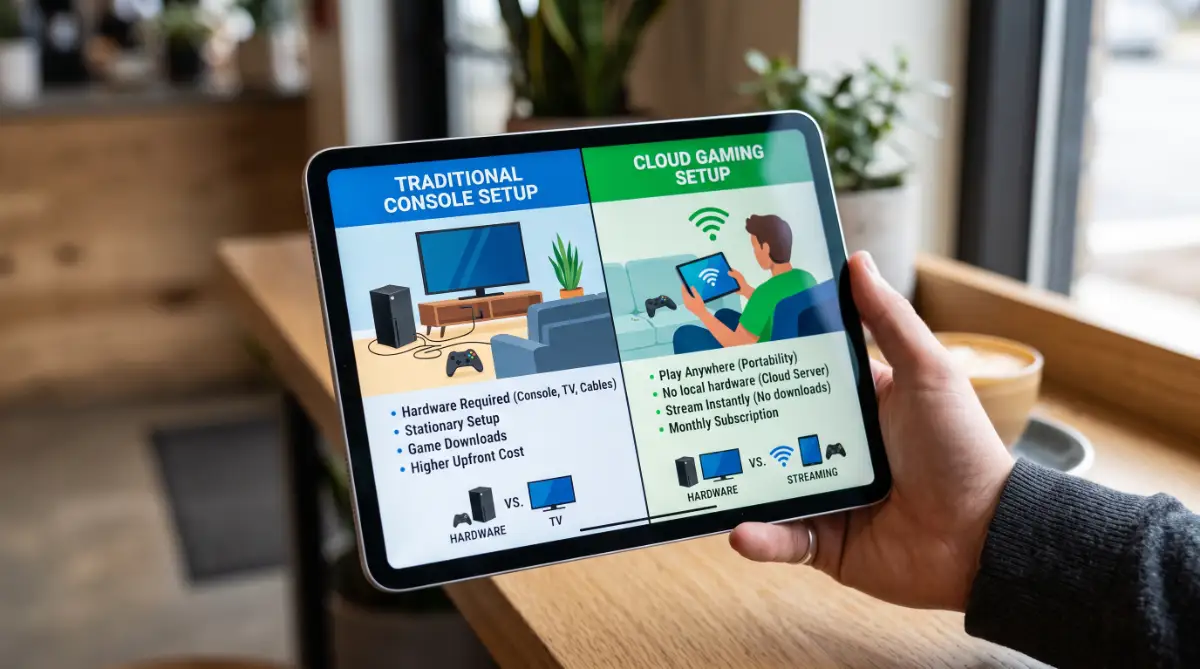
First, there are no downloads. You can pick a game and start playing in seconds. This is great for people with limited storage space. You can have a library of 100 games and use 0GB of space on your phone.
Second, you get perfect portability. You can start a game on your PC, pause it, and continue on your phone while lying in bed. The game state is saved in the cloud, not on the hardware.
Myth vs. Reality: Does Cloud Gaming Actually Work?
A lot of people worry about "lag" or "input delay." This is the time between pressing a button and seeing the action on the screen. In the early days, this was a big problem.
However, internet speeds have improved globally. Modern cloud services use clever tricks to hide small delays.
For most single-player games, the experience is now nearly identical to playing on a local console.
If you are a professional e-sports player, you might notice a tiny difference. But for 95% of people who just want to enjoy a story or a fun match, the technology is more than ready.
The Secret Ingredient: Your Internet Connection
While you don't need a fast PC, you do need a stable internet connection. Think of your internet as the "pipe" that carries the game. If the pipe is too small or has leaks, the game will stutter.
A speed of 15 to 25 Mbps is usually enough for a great experience. Most home Wi-Fi and 5G connections can handle this easily. The most important thing is "stability" rather than just raw speed.
What Devices Can You Use Right Now?
The beauty of this system is that it is "platform agnostic." This means it doesn't care what brand of device you use.
- Smartphones: Both iPhones and Android devices work perfectly with a clip-on controller.
- Old Laptops: That dusty office laptop from years ago can now run the latest hits.
- Smart TVs: Some TVs have cloud gaming apps built right in, so you don't even need a box.
- Tablets: Turn your iPad into a portable gaming powerhouse during your commute.
Is Cloud Gaming the End of Consoles?
We aren't quite at the end of physical consoles yet. Many people still love owning hardware. But cloud gaming offers a choice that didn't exist before.
It makes gaming accessible to everyone, not just those with deep pockets.
It is about removing the gatekeepers. You should be able to enjoy art and entertainment regardless of your budget. Cloud gaming is the bridge that connects millions of new players to the world of high-end gaming.
Pro Tip: How to Get the Best Experience
If you want to try this out, always use a 5GHz Wi-Fi connection instead of 2.4GHz. The 5GHz band is much faster and has less interference from other household items.
Even better, if you are on a PC, use an Ethernet cable. A wired connection is always more stable than wireless. This simple change can make a "good" experience feel "perfect."
Expert Tips for Lag-Free Gaming:
- Close Chrome Tabs: Even though the cloud does the work, having 50 tabs open in your browser can slow down the video stream.
- Use the App: Most services have a dedicated app. Use it instead of a web browser for much better performance.
- Turn off Location Services: On Mac and Android, location scanning can cause a "hiccup" in your connection every few minutes.
Mastering the Connection for a Flawless Experience
So, you now understand the basic idea of how cloud gaming works. But simply knowing the theory isn't enough to get the best performance. To truly feel like the game is running on a high-end local PC, you need to optimize your environment.
One of the most effective things you can do is focus on your home network hardware. Many people use the basic router provided by their internet company.
These devices are often not designed to handle the heavy, constant stream of data that gaming requires.
If you are serious about this, look into routers that support Wi-Fi 6 or even Wi-Fi 6E. These newer standards are much better at handling multiple devices at once.
They reduce the "congestion" in your home that can cause your game to stutter for a split second.
You should also look into how to how to fix lag issues on your gaming console or PC setup. Even in a cloud setup, local settings can sometimes cause delays. Reducing the number of steps your data takes to reach your device is the goal here.
The Secret Power of Wired Connections
Wireless technology is great, but it has one major flaw: interference. Walls, microwaves, and even your neighbor’s Wi-Fi can disturb your signal. This results in "packet loss," where parts of the game data simply disappear.
Whenever possible, use an Ethernet cable. This creates a direct, physical path for your game data. It is the single most important upgrade you can make for cloud gaming.
Even a very long cable is better than the best Wi-Fi signal. If running a wire through your house is impossible, consider a powerline adapter. These devices use your home’s electrical wiring to carry internet data from one room to another.
Choosing the Right Service for Your Needs
Not all cloud gaming platforms are the same. Some focus on giving you a library of games for a monthly fee. Others let you play games you already own on other digital stores.
Think about how you like to play. If you want a "Netflix style" experience where you can try 100+ games, a subscription model is best. If you already have a huge collection of games on your PC, look for a service that acts as a "virtual rig."
Check where the nearest servers are located for each service. If a provider has a server in your city or a nearby state, your experience will be much better. Distance is the enemy of speed in the world of cloud streaming.
Maintaining Performance Over the Long Term
To keep your cloud gaming setup running perfectly, you should perform a "network health check" once a month. Reboot your router to clear out its temporary memory. This simple habit can fix many mystery slow-downs. Check for updates on your streaming apps.
Developers are constantly finding new ways to compress video data more efficiently. An update might suddenly make your favorite game look sharper or run faster on your older tablet. Also, keep an eye on your background apps.
If your computer starts a large update for another software in the middle of your game, your stream will suffer. Turn off auto-updates during your gaming hours to keep the whole "pipe" open for your play session.
Mistakes That Can Destroy Your Gaming Session
Many newcomers to this technology get frustrated because of simple, avoidable errors. Understanding these pitfalls will save you hours of troubleshooting.
One of the biggest mistakes is trying to play on public Wi-Fi networks. Hotels, cafes, and airports often have "congested" networks with strict security. These environments are terrible for the steady data flow that gaming needs.
If you must use a public network, you should understand how a vpn encrypts your data. While a VPN adds a tiny bit of extra delay, it can sometimes bypass certain network throttles.
However, for the best gaming, a private and secure home connection is always the winner.
Ignoring Data Caps and Limits
Streaming a high-end game uses a lot of data. It is very similar to watching a 4K movie on a streaming service. If your internet plan has a "data cap," you could use it all up in just a few days of heavy gaming.
Always check your ISP agreement before you start. Some companies offer "unlimited" plans which are perfect for gamers. If you are on a limited plan, you might want to lower the stream resolution to 720p to save data.
This doesn't mean the game will look bad. On a small phone screen, 720p still looks incredibly sharp. This is a smart way to enjoy your hobby without getting a surprise bill at the end of the month.
Using the Wrong Input Method
Cloud gaming allows you to play on a phone, but playing a complex shooter with touch controls is very difficult. Many people try this, get frustrated, and give up on cloud gaming entirely.
The hardware you use to control the game is just as important as the screen. Invest in a decent Bluetooth controller or a phone-mount controller. Having physical buttons makes the experience feel "real" and responsive.
If you are on a PC, stick to a wired mouse and keyboard if you can. Wireless peripherals add a tiny bit of latency. When you add that to the cloud latency, it can start to feel sluggish.
Overestimating Your Network Speed
People often see a "100 Mbps" sticker on their internet plan and assume they are safe. But that number is a maximum, not a guarantee. Your actual speed can drop during "peak hours" when everyone in your neighborhood is online.
Don't just trust the sticker. Use a speed test tool that specifically measures "Ping" and "Jitter." Ping is how long it takes for a signal to go and come back. Jitter is how much that time changes.
If your ping is high, the game will feel like it is dragging through mud. If your jitter is high, the game will be stuttery and jumpy. Knowing these numbers helps you understand if the problem is the service or your own connection.
Playing the Wrong Type of Game for Your Connection
If your internet isn't perfect, don't start with a fast-paced competitive shooter. These games require split-second reactions. Even a tiny bit of lag can make you lose the match.
Instead, try starting with a role-playing game (RPG), a strategy game, or an adventure title. These genres are much more forgiving. They allow you to enjoy the high-end graphics without the stress of perfect timing.
As you optimize your setup and get a feel for how it works, you can move on to faster games. Start slow and build your confidence in the technology.
Common Questions Answered (Q&A):
Do I have to buy the games again?
- No! Many services let you connect your Steam or Epic Games account to play what you already own.
Does it use a lot of data?
- Yes, it uses about 2GB to 3GB per hour for HD. If you have a data cap, keep an eye on it.
Is there a free version?
- Yes, some platforms offer a free tier where you might have to wait in a short line to play.
Your New Era of Gaming Freedom

Cloud gaming is not just a trend; it is a solution to a real problem. It takes away the wall between you and the stories you want to experience. You are no longer defined by the hardware you can afford to buy today.
Think about the possibilities. You can go from a quiet afternoon on your laptop to a quick session on your phone during a break. The transition is seamless, and the power is always there, waiting for you in the clouds.
The technology is getting better every single day. Modern engineers are finding ways to make the experience even faster and more beautiful. We are moving toward a world where "minimum system requirements" will be a thing of the past.
Take the First Step Today
Don't wait until you can afford an expensive new PC. If you have a decent internet connection and a device with a screen, you are already a cloud gamer. You just need to pick a platform and start.
Start by testing your speed. Connect your device to your router with a cable if possible. Pick a game that looks beautiful and give it a try. You might be surprised at how close the future really is.
The world of high-end gaming is now open to you. Whether you are exploring distant planets or racing on a track, the cloud is making it possible. Grab your controller, log in, and see what you have been missing.
Don't let a "low-spec" device hold you back from the stories and worlds you want to explore. I truly believe that gaming should be for everyone, and taking that first step into the cloud changed my life as a gamer.
Give it a try tonight—you might be surprised at how much power is already hiding in your old device!
Final Thoughts
We have seen how cloud gaming removes the need for expensive hardware. We explored the way servers handle the heavy lifting and stream the video to your screen.
The barrier to entry is falling. High-end gaming is no longer a club for the elite. It is becoming a service for everyone. In the next part of our exploration, we will look at the specific services available and how to choose the right one for you.
Disclaimer: The performance of cloud gaming depends heavily on your local internet service provider and hardware. Results may vary based on your geographic location and network stability. Always check your data usage limits to avoid extra charges from your internet provider.