The Hidden Cost of Your Midnight Charging Habit
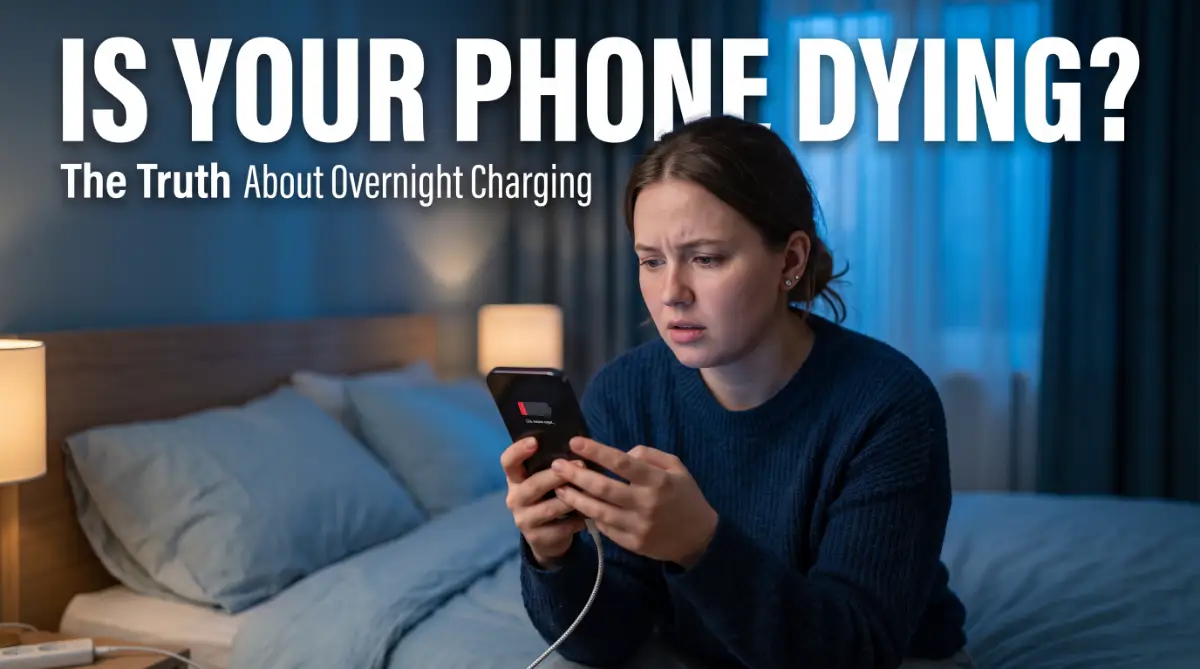
Stop plugging your phone in before you go to sleep. I know, it feels great to wake up to a 100% battery, but you’re actually killing your device’s lifespan every single night.
Most of us are treats our phones like we did back in 2010, but modern batteries follow different rules. I’m going to show you why that "full charge" is actually a trap and how you can keep your phone feeling brand new for years without changing your lifestyle.
You probably plug your phone in right before you close your eyes. It feels like the right thing to do. You want to wake up to a 100% battery to start your day.
But this simple habit might be the reason your phone feels "old" after just one year. Most of us don't realize that batteries are like living things. They age, they get stressed, and they react to how we treat them. The modern struggle is real.
We rely on our devices for everything from morning alarms to late-night work emails. When that battery starts draining fast, it feels like our connection to the world is breaking.
You might have noticed your phone getting hot or the battery percentage jumping randomly. These are signs of a deeper problem caused by how you charge.
⚡ The "Too Long; Didn't Read" Summary
If you’re in a hurry, here is the secret to a long-lasting battery:
- The 80% Rule: Stop charging at 80% whenever possible. It doubles your battery life.
- Cooling is Key: Never charge under a pillow or in a hot car. Heat is a battery's #1 enemy.
- Say No to 0%: Try to plug in your charger as soon as you hit 20%.
- Use Real Gear: Only use certified (MFi or USB-IF) chargers to prevent power spikes.
Why Your Current Charging Routine is Failing You
Many people try to fix their battery issues but fail. Here is why the struggle continues for most users:
- Reliance on Old Myths: Many still believe you must charge a phone to 100% or let it die to 0%. This was true for old nickel batteries but is harmful to modern lithium-ion ones.
- Cheap Replacement Cables: People often buy the cheapest cable at the gas station. These cables lack the chips needed to regulate power, leading to "dirty" electricity hitting your battery.
- Ignoring the Heat Factor: We often charge phones under pillows or on soft blankets. This traps heat, which is the number one enemy of any electronic component.
- Using Heavy Cases: Thick, stylish cases look great but they don't let the phone breathe during a heavy charge cycle.
Quick Comparison: Battery Myths vs. The Truth
How Battery Anxiety Affects Your Daily Life
Living with a dying battery is stressful. It ruins your peace of mind when you have to look for a power outlet every three hours.
We want our tech to work for us, not the other way around. Understanding the science of charging can give you back that control and save you a lot of money.
The Science of Stress: Why 100% Is Not the Goal
Most experts agree that keeping a battery at 100% for hours is a bad idea. Imagine a rubber band. If you keep it stretched to the limit all night, it eventually loses its snap.
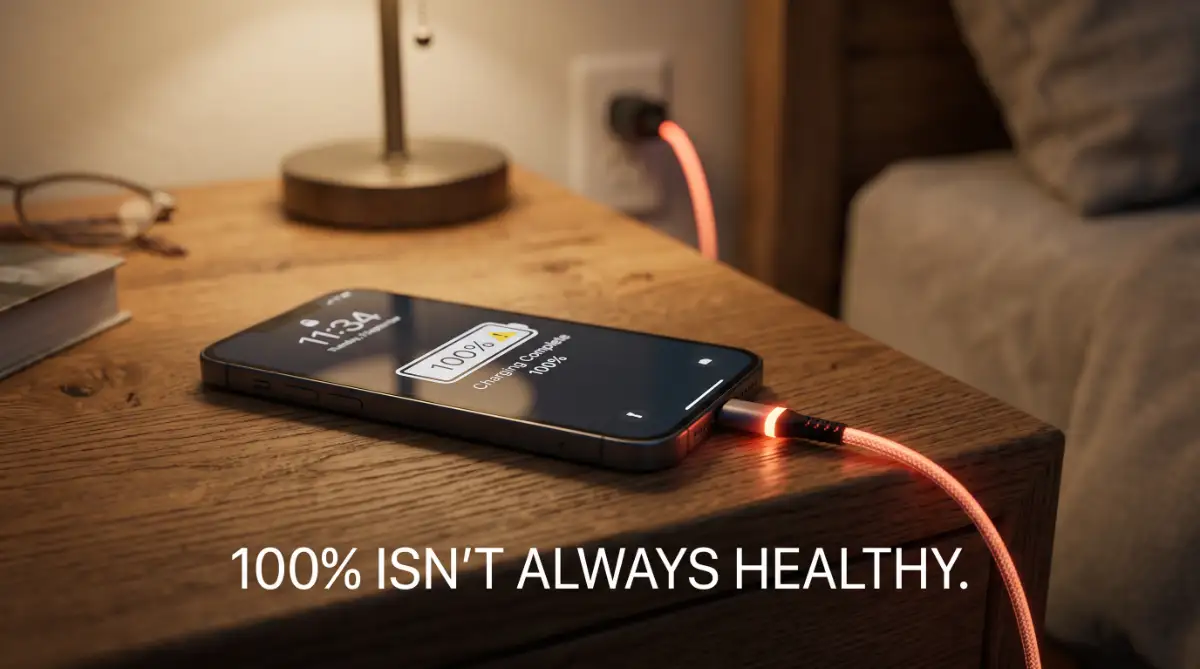
Your phone battery works in a similar way. When it sits at a full charge for 6 or 7 hours, it stays in a high-voltage state. This puts physical stress on the internal chemicals.
Trickle charging is another hidden issue. Once your phone hits 100%, the charger keeps sending small amounts of juice to keep it there. This constant "on-off" cycle wears down the battery cells much faster.
Essential Steps to Protect Your Device Starting Tonight
If you want to keep your phone healthy, you need a new strategy. Here are the most effective ways to change your habits without losing convenience.
Step 1: Aim for the Golden 20-80 Range
The best thing you can do for your phone is to keep it between 20% and 80%. This is the "comfort zone" for lithium-ion batteries.
Staying in this range reduces the number of "cycles" your battery goes through. A cycle is one full charge and discharge. By avoiding the extremes (0% and 100%), you can double the lifespan of your battery.
I used to be so obsessed with seeing that 100% icon every morning because it made me feel prepared for the day. But then I noticed my phone was always hot to the touch, and I realized I was actually "stressing" my battery out for no reason.
My best tip is to just unplug it when it hits 80%; it felt weird at first, but now my phone stays cool and the battery health hasn't dropped in months.
Try charging your phone in short bursts during the evening instead of one long session at night. This keeps the chemicals stable and prevents the stress of a full-capacity hold.

Step 2: Remove the Heat Barriers
Heat is a silent killer for electronics. When you charge your phone, it naturally generates some warmth. If that heat has nowhere to go, it cooks the internal parts.
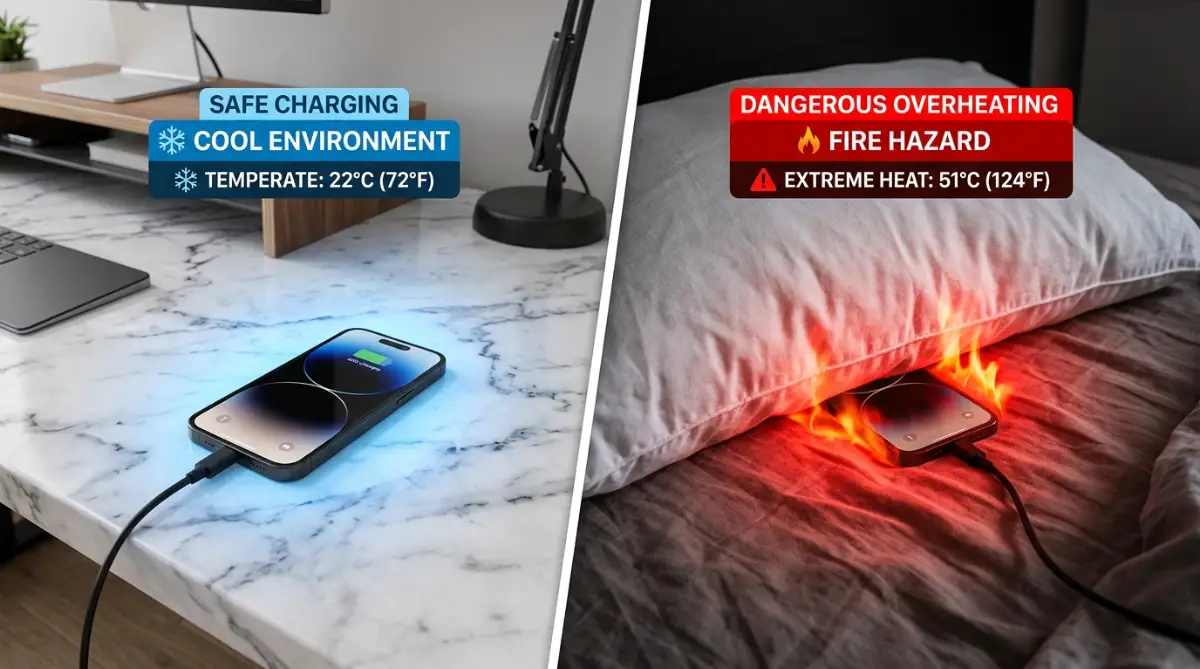
Never charge your phone under a pillow. This is not just bad for the battery; it is a fire hazard. The fabric traps the heat and can lead to thermal runaway.
Always place your device on a hard, flat surface while it is plugged in. If you use a very thick or rugged case, consider taking it off at night. This allows the heat to dissipate into the air.
Step 3: Invest in Certified Charging Tech
Your charger is the "food" for your phone. If you give it low-quality power, it will suffer. Always use the charger that came with the device or a certified brand.
Look for the "MFi" logo for Apple devices or "USB-IF" certification for Android. These products have safety features that stop the flow of power if things get too hot or if there is a power surge.
A cheap cable might save you ten dollars today, but a new battery or a new phone will cost you hundreds later. Think of quality accessories as an insurance policy for your tech.
Wait! Before you start these steps, check out this quick video that breaks down exactly how battery cycles work. Seeing it in action makes it so much easier to understand why these small changes will save your phone from a slow death!
Why Small Habits Make a Big Difference
Changing how you charge might seem like a lot of work. But once you start, it becomes second nature. You will notice that your phone stays fast and responsive for much longer.
Most modern phones now have "Optimized Battery Charging" settings. These features learn your sleep schedule. They charge the phone to 80% and wait until just before you wake up to finish the last 20%.
Make sure this feature is turned on in your settings. It is a simple way to let software do the hard work for you. We often ignore these built-in tools, but they are designed by engineers specifically to fight the problems of overnight charging.
Two Settings You Should Toggle Right Now
If you want to save your battery without thinking about it, do this:
- On iPhone: Go to Settings > Battery > Battery Health & Charging > Turn on "Optimized Battery Charging."
- On Android: Go to Settings > Battery > Battery Saver/Protection > Turn on "Protect Battery" (This limits the charge to 85% automatically).
Real-Life Scenario: The Morning Rush vs. Battery Health
Think about a typical morning. If you charge your phone while you get ready, have breakfast, and take a shower, you can usually get 30% to 50% more power.
With modern fast-charging technology, you don't need eight hours of charging anymore. Many phones can hit a safe level in just 30 minutes. This makes the "overnight" habit unnecessary for most people.
You will no longer worry about your phone dying during an afternoon meeting or a night out with friends.
Understanding the Impact of Ambient Temperature
The environment around your phone matters just as much as the charger. If your bedroom is very hot, the battery will struggle more during a charge cycle.
Extreme cold is also a problem. If you leave your phone charging near a drafty window in winter, it can slow down the chemical reaction. This makes the charging process inefficient.
Try to keep your charging station in a place with a steady, room-temperature climate. This consistency helps the battery maintain its health over several years rather than just several months.
The Myth of the "Memory Effect"
You might hear older people say you have to "train" your battery. This is a leftover idea from the 1990s. Modern smartphones do not have a memory.
They do not need to be fully emptied to "remember" their capacity. In fact, letting a modern phone hit 0% is actually harmful. It can sometimes put the battery into a "deep discharge" state.
If a battery goes too low, the internal protection circuit might trip. This can make the phone impossible to turn back on without professional help. Always try to plug in before you hit the 15% mark.
The Role of Software Updates in Battery Care
Software is just as important as hardware. Manufacturers like Samsung, Apple, and Google constantly send updates that improve how the phone handles power.
Sometimes an update might seem to drain your battery faster at first. This is usually because the phone is "re-indexing" files in the background. After a day or two, the benefits of the update usually kick in.
Stay current with your OS versions. These updates often include security patches and power management tweaks that protect your battery from rogue apps that drain power in the background.
Why Background Apps are Your Battery's Enemy
While your phone charges at night, it isn't always resting. Many apps stay active, checking for updates or sending your data to servers.
This activity causes the phone to heat up while it is already trying to charge. It is like trying to fill a bucket with water while there are several small holes in the bottom.
Before you go to bed, try closing apps you aren't using. Or better yet, put the phone into "Airplane Mode" or "Low Power Mode" while it charges. This reduces the workload on the processor and allows the battery to charge more coolly and efficiently.
Choosing the Right Power Strip
If you have many devices, you probably use a power strip. Not all power strips are equal. A cheap one can send "noisy" electricity to your phone.
Look for a power strip with surge protection. This protects your expensive phone from lightning strikes or power grid spikes. A small spike in voltage during the night can cause permanent micro-damage to your battery's health.
It is better to be safe than sorry. Investing in a high-quality surge protector is a one-time cost that protects all your electronics at once. It is a smart move for any modern home.
Pro-Level Secrets for Protecting Your Hardware
Keeping your devices safe requires more than just knowing when to plug them in. It involves using smart tools and setting up a routine that works without you thinking about it.
Many tech experts use smart plugs to manage their charging cycles. These small gadgets can be set to turn off after two or three hours. This means your phone doesn't sit on the charger all night long.
This simple automation stops the "trickle charge" effect we talked about earlier. You can sleep peacefully knowing your phone hits 80% and then stops receiving power. It is a great way to use technology to save your technology.
According to research from IEEE Spectrum, controlling the flow of current is a primary way to prevent chemical aging in lithium cells. This is why high-end chargers often come with their own power management chips.
If you are a power user, you should also look into charging limit apps. For Android users, some apps can send an alarm when your phone hits 80%. This reminds you to unplug it before it reaches the high-stress zone.
We often focus so much on our phones that we forget our other gear. You might want to learn how to extend the battery lifespan of a modern laptop since those batteries are even more expensive to replace. The rules are very similar, but the scale of the battery is much larger.
Another expert secret is to avoid fast charging at night. Fast chargers generate a lot of heat because they push a lot of current very quickly. Since you are sleeping, you don't need the phone to be ready in thirty minutes.
Using an older, slower charger for overnight sessions is actually better for the battery's health. It keeps the temperature low and stable. This slow and steady approach helps the battery chemicals stay balanced for a longer period of time.
Maintaining Your Device Health for the Long Run
To keep these results, you need a professional mindset. Think of your battery as a bank account where every bad charge is a small withdrawal.
You want to keep your balance as high as possible for as long as you can. Cleaning your charging port is a step that most people ignore.
Dust and lint from your pockets can get stuck inside the port. This causes a poor connection, which makes the charger work harder and generate more heat.
Use a small wooden toothpick or a blast of compressed air to clean it out once a month. You will be surprised at how much dirt can hide in such a small space.
A clean port ensures that electricity flows smoothly and safely. While you focus on physical care, don't forget your digital habits.
Improving your 7 easy daily habits to transform your sleep quality forever can also help you remember to manage your tech better before bed. When you are well-rested, you are less likely to make lazy mistakes with your expensive gadgets.
Consistency is the secret sauce here. If you follow these rules 90% of the time, your battery will easily last three to four years without a major drop in capacity. This saves you money and keeps your device performing like new.
You should also check your battery health percentage in your settings once a month. If it drops too fast, it might mean one of your apps is behaving badly. Identifying these "battery vampires" early can save the life of your hardware.
If you are a gamer, you probably know how heat affects performance. Just like you might need to how to fix lag issues on your gaming console, you must treat your phone's processor with respect. Heavy gaming while charging creates a "double heat" situation that can be very damaging.
Always give your phone a break. If it feels hot to the touch, stop what you are doing. Let it cool down before you continue using it or charging it. This small bit of patience goes a long way.

Major Pitfalls That Could Ruin Your Device
Even with good intentions, many people fall into dangerous traps. These mistakes can lead to swollen batteries or even permanent hardware failure. Knowing what to avoid is just as important as knowing what to do.
1. Using the Phone During a Heavy Charge
This is often called "parasitic charging." When you play a game or watch high-definition video while plugged in, the battery is being drained and filled at the same time. This creates massive heat and stresses the battery cells unevenly.
2. Buying "Fake" or Uncertified Cables
It is tempting to buy a two-dollar cable from a random shop. However, these cables often lack the safety resistors needed to protect your phone.
A power surge could travel straight through the cheap cable and fry your phone’s motherboard.
3. Charging in Extreme Temperatures
Never leave your phone charging on a car dashboard in the sun or near a heater. Heat speeds up the chemical reactions inside the battery to a dangerous level.
On the flip side, charging in freezing cold can cause permanent "plating" of the lithium, which reduces capacity instantly.
4. Keeping the Case on During Nightly Charges
Heavy-duty cases are great for drops but terrible for heat. They act like a winter coat for your phone. If you must charge overnight, try to take the case off so the back of the phone can touch the air.
5. Ignoring the "Low Battery" Warning Regularly
Letting your phone hit 0% too often is a major mistake. It forces the battery to work harder to "jump-start" itself back to life. Try to plug in when you see 15% or 20% to keep the energy flow smooth and natural.
The Real Consequences of Poor Charging Habits
If you ignore these warnings, you will face more than just a short battery life. A damaged battery can swell up, pushing against the screen and the back glass. This can crack your phone from the inside out.
In some cases, the internal chemicals can leak or catch fire. While modern phones have safety blocks, they are not perfect. Using a damaged battery is a safety risk for you and your home.
You also lose the resale value of your phone. When you want to upgrade, a phone with 95% battery health sells for much more than one with 70% health. Good habits are literally putting money back into your pocket.
Research from Forbes shows that electronic waste is a growing global problem. By making your devices last longer, you are also helping the environment. You are reducing the demand for new mining and manufacturing.
Every extra year you get out of your phone is a win for your wallet and the planet. It is a simple way to be a more responsible tech user.
Your Path to a Smarter and Safer Tech Life
Taking care of your devices shouldn't feel like a chore. It is about making small, smart choices every day. Once you start following these steps, they will become a natural part of your routine.
You have the power to stop the "slow death" of your battery. Start by checking your settings tonight and making sure your optimized charging features are turned on. Small changes lead to big results over time.
We live in a world where we are always connected. Protecting that connection starts with how you treat the battery in your pocket. You deserve a phone that stays fast and reliable from morning until night.
Take a look at your current charging setup. Is it on a hard surface? Is the cable certified? If not, make one small fix today. Your future self will thank you when your phone is still running perfectly years from now.
Stay curious and keep learning about how your gadgets work. The more you know, the better you can protect your investments. You are now equipped with the same knowledge that tech professionals use to keep their gear in top shape.
Go ahead and share these tips with your friends and family. Most people are still following old, harmful myths. By spreading the truth, you help everyone save money and keep their devices safe.
Happy charging, and enjoy the peace of mind that comes with a healthy, long-lasting battery!
You don't need to be a computer scientist to save your phone and your hard-earned money. Just pick one small thing from this list, like charging on a flat desk instead of your bed, and try it tonight.
You will feel so much more confident knowing your phone is healthy and ready to help you through your busiest days!
Disclaimer:
This content is for informational purposes only. Always follow the specific manufacturer guidelines provided with your electronic devices for the best safety and performance results. We are not responsible for any hardware damage resulting from the misuse of electronic accessories.
![The Secret Science of Wireless Charging: Why Cables Are Still Winning [Explained]](https://nexvoramag.com/storage/uploads/blogs/1788067627_the-secret-science-of-wireless-charging-why-cables-are-still-winning-explained.webp)