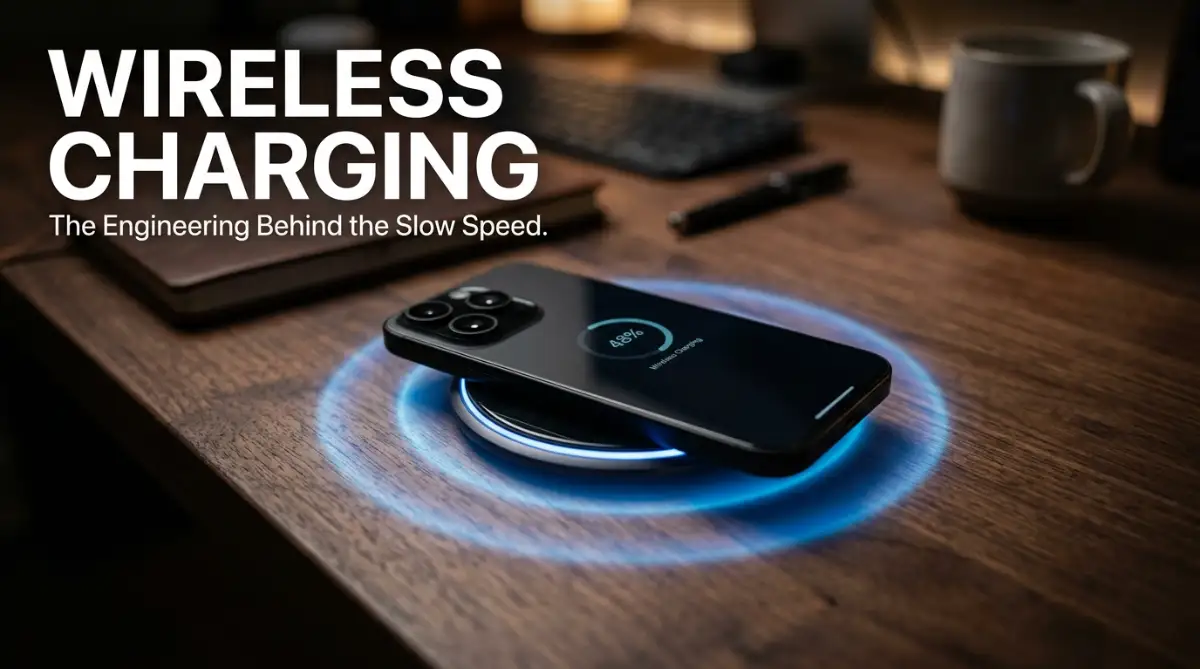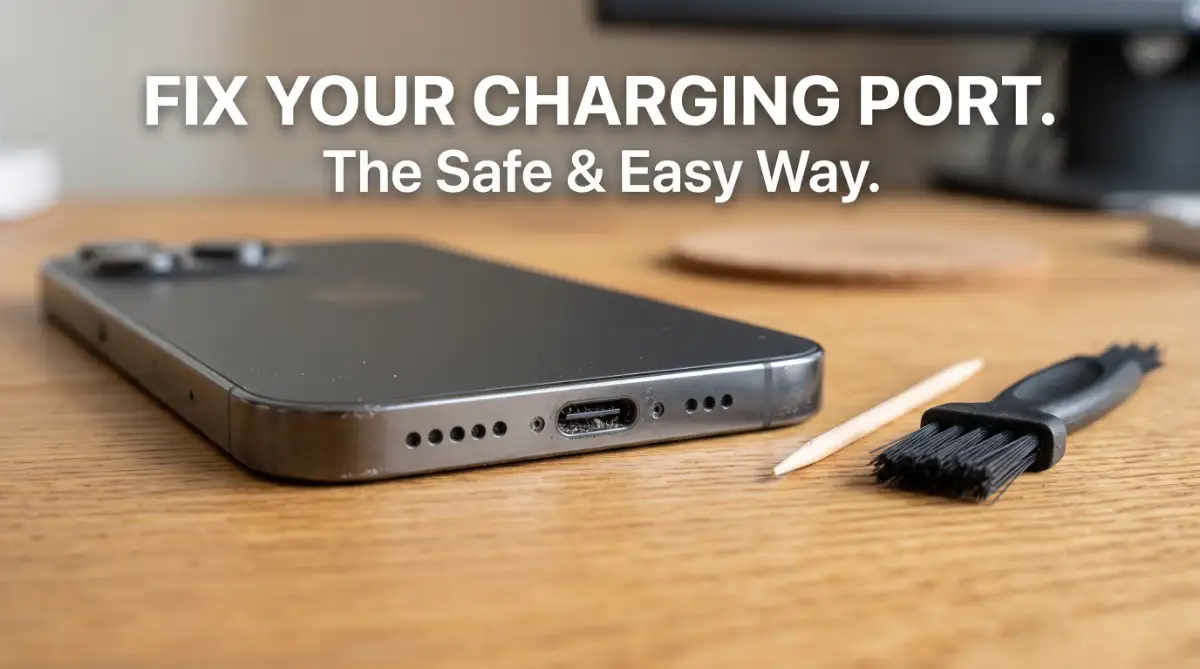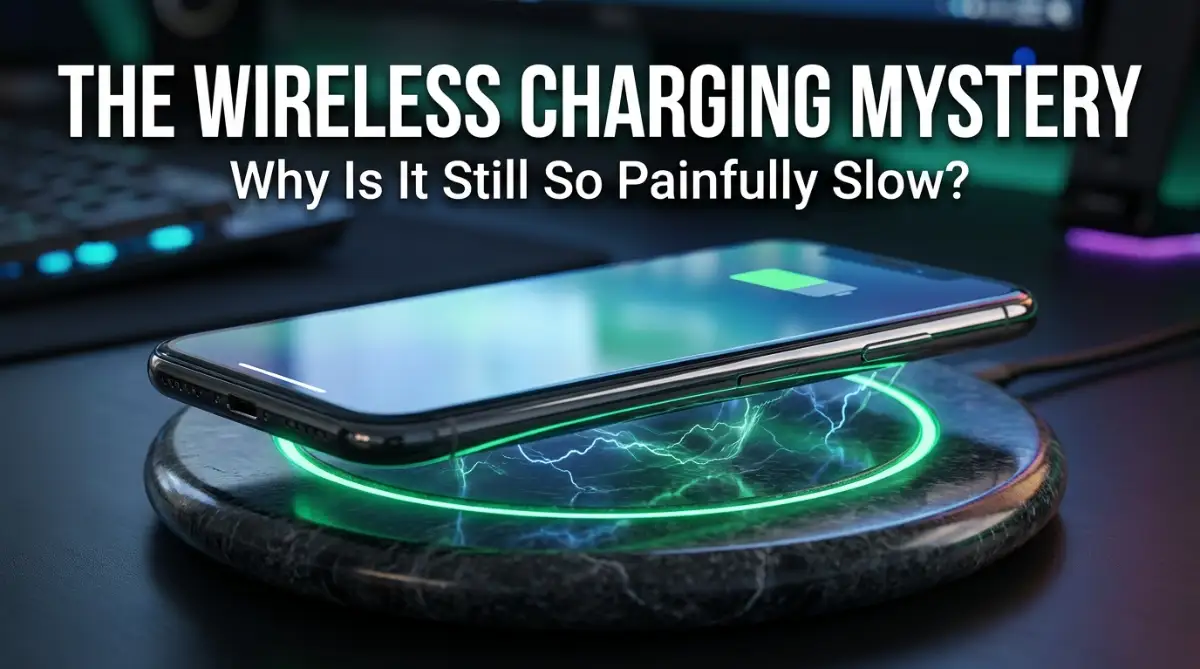
The Frustrating Morning When My Battery Stayed Empty
I woke up yesterday morning and reached for my phone, expecting a full green battery icon. I had placed it perfectly on my expensive wireless charging pad right before I went to sleep.
Instead, I was greeted by a depressing 15% battery warning and a phone that felt strangely warm to the touch. I knew right then that something was wrong with the way we think about "convenience" in tech.
It felt like I had been betrayed by a piece of technology that promised to make my life easier by removing cables. My phone had shifted just a tiny bit during the night, and that was enough to stop the power flow almost entirely.
I spent the next hour rushing around with a wall charger, feeling the stress of a dead phone while trying to get ready for work. This happens to so many of us, and it makes you wonder why this tech still feels so unfinished.
We are told that the future is wireless, but the reality is often a slow, hot, and annoying mess. I decided to look deeper into the actual science to see why we are still struggling with these speeds.
The Daily Struggle of the "No-Cable" Dream
Most of us bought into the wireless charging dream because we hate fumbling with cables in the dark. We just want to drop our device on a surface and let it drink up power while we sleep or work.
However, the psychological toll of seeing "3 hours until full" is real when you know a cable could do it in 45 minutes. It creates a sense of anxiety because we rely on our phones for everything from navigation to paying for groceries.
When your charger fails to deliver, it messes up your entire schedule and leaves you tethered to a wall anyway. You start to feel like you paid a premium price for a feature that doesn't actually solve the main problem: getting power quickly.
The heat generated by these pads also makes us worry about our expensive battery's long-term health. We are caught between the beauty of a clean desk and the practical need for a fast, reliable charge.
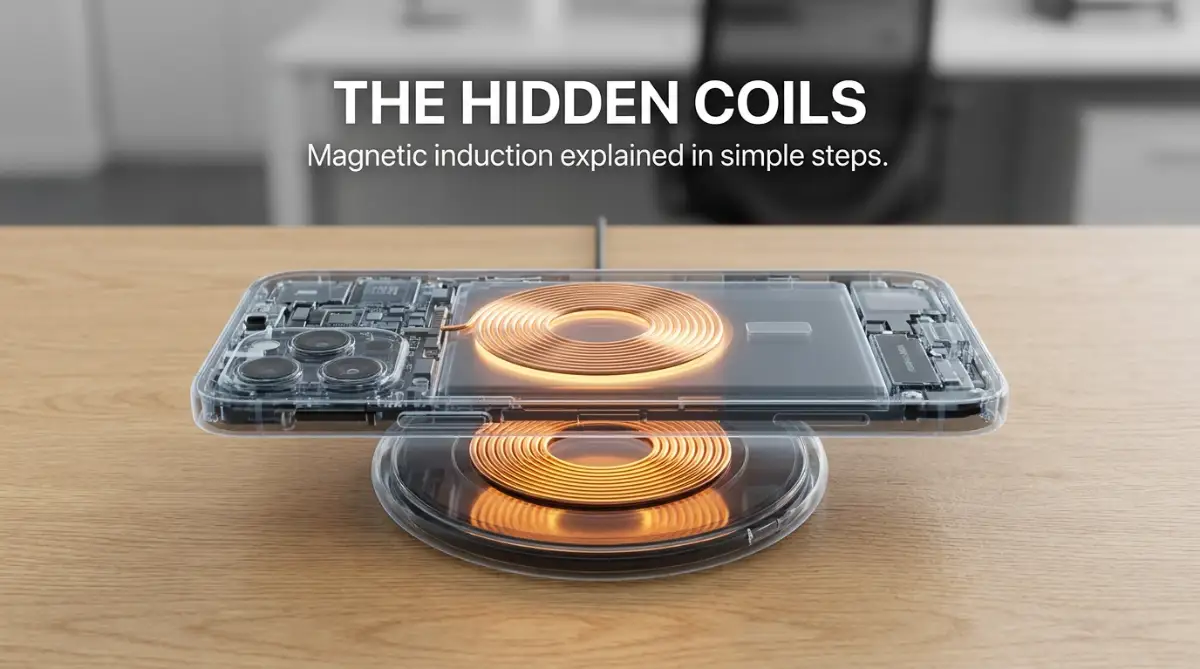
The Invisible Bridge: How Magnetic Induction Works
To understand the speed limit, we have to look at the invisible dance happening between your phone and the pad. Inside both devices, there are flat coils made of very thin copper wire.
When you plug the pad into the wall, electricity flows through its coil and creates a changing magnetic field. This field jumps through the air and the back of your phone to reach the second coil inside your device.
This process is called magnetic induction, and it is honestly a bit of a miracle that it works at all. But here is the catch: sending power through the air is much harder than sending it through a solid copper wire.
Think of it like trying to fill a bucket with water from a distance using a spray bottle. You can get the water in there, but a lot of it is going to mist away and miss the target completely.
The Physics of Why Your Energy Is Vanishing
In a standard cable, the electricity has a direct, high-speed highway to travel from the wall to your battery. In a wireless setup, that highway is replaced by an invisible magnetic bridge that is very inefficient.
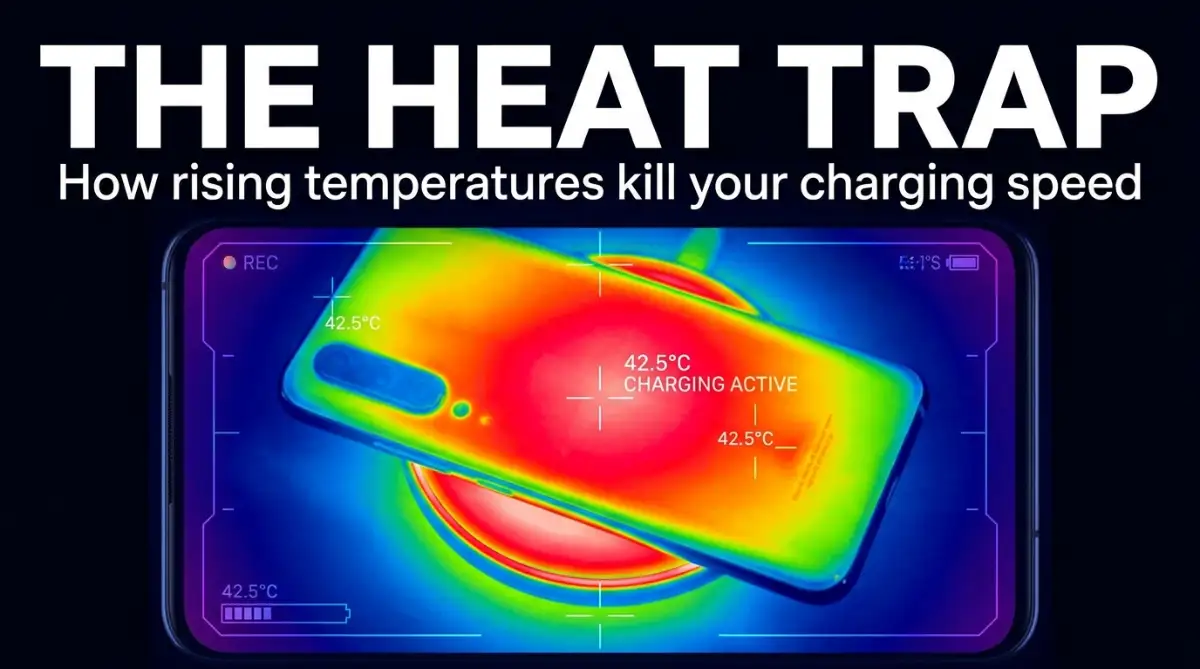
A huge chunk of the energy being sent by your charging pad never actually makes it into your battery. Instead, it turns into heat, which is the biggest enemy of any electronic device you own.
When your phone gets hot, its internal computer tells the charging system to slow down. It does this to prevent the battery from literally melting or degrading over time.
So, the very act of charging wirelessly creates the heat that forces the charger to slow down even more. It is a frustrating loop that keeps us stuck with slow charging speeds compared to old-school plugs.
The Alignment Trap: Why Even a Millimeter Matters
One of the biggest engineering headaches is making sure the two copper coils are perfectly lined up. If the center of the pad's coil isn't exactly over the center of the phone's coil, the efficiency drops off a cliff.
Even if you are off by just a few millimeters, the magnetic field struggles to connect with the receiver. This means less power reaches the battery, and even more energy is wasted as heat.
I used to think my phone was "smart" enough to find the power anywhere on the pad, but it’s actually quite picky. This is why companies like Apple introduced magnets to snap the phone into the perfect spot every time.
Without those magnets, you are basically playing a guessing game every time you set your phone down. If your phone vibrates from a notification and shifts slightly, your charging speed might get cut in half.
I’ve learned that the "sweet spot" is the most important part of the whole setup. If you don't hit it perfectly, you are just heating up your phone instead of charging it, which is something I found out the hard way after many failed mornings.
The Battle Against Thermal Throttling
Your phone is essentially a tiny, powerful computer that is very sensitive to how hot it gets. Manufacturers build in strict safety limits called thermal throttling to keep you safe.
Wireless charging is naturally "lossy," meaning a lot of the power is lost during the transfer. That lost power has to go somewhere, and unfortunately, it turns into heat trapped between the pad and your phone.
When the temperature hits a certain level, the charging speed is slashed by 50% or more instantly. This is why you might see fast charging for the first ten minutes, followed by a long crawl to the finish line.
Engineers are trying to fix this by adding tiny fans inside charging pads or using better cooling materials. But at the end of the day, physics is hard to beat, and heat remains the primary speed killer.
Check out this amazing visual breakdown of how heat affects your battery life over time. It really shows why wireless charging isn't always the best choice for your phone's longevity.
Case Thickness: The Hidden Speed Wall
Many of us use thick, rugged cases to protect our $1,000 investments, but these are bad for wireless power. The magnetic field has to work much harder to pass through layers of plastic, rubber, or leather.
The further away the coils are from each other, the weaker the magnetic connection becomes. This added distance increases the energy loss and creates even more heat during the session.
I once tried charging my phone with a heavy-duty "armor" case, and it took nearly five hours to reach 80%. As soon as I took the case off, the charging time dropped significantly.
If you have a metal plate in your case for a car mount, wireless charging might not work at all. Metal interferes with the magnetic field and can actually become dangerously hot very quickly.
The Qi Standard and Why It Limits Everyone
Most wireless chargers use a universal language called the "Qi" (pronounced "chee") standard. This was created so that any charger could work with any phone, regardless of the brand.
While this universal compatibility is great, it also means that the speeds are often limited to the lowest common denominator. To keep things safe for every device, the standard doesn't always push the limits of speed.
Some companies like OnePlus or Xiaomi have created their own "private" wireless tech that is much faster. However, you usually have to buy their specific (and expensive) brand-name chargers to see those speeds.
For the rest of us using standard pads, we are stuck in the slow lane of the universal Qi highway. It’s a trade-off between the convenience of using any pad and the speed of a dedicated cable.
The Charging Brick Myth: It’s Not Just the Pad
A common mistake I see people make is plugging a high-end wireless pad into an old, weak wall adapter. If your wall plug only puts out 5 watts, your wireless pad can't magically give you 15 watts.
The wireless pad itself actually uses some power just to stay on and manage the magnetic field. So, you always need a wall brick that is more powerful than the rated speed of the pad.
If you want a 15W wireless charge, you should probably be using a 20W or 30W wall adapter. Many people don't realize that the "bottleneck" is often the cheap plug they found in a kitchen drawer.
Using the right power source is the first step to making sure you aren't making a slow process even slower. It’s a small detail, but it makes a massive difference in how much power actually reaches your device.
Energy Efficiency: The Environmental Cost of Convenience
We don't often talk about it, but wireless charging is actually quite wasteful compared to a simple wire. Studies show that it can use up to 50% more electricity to reach a full charge.
Because so much energy is lost as heat and magnetic leakage, your power bill technically goes up (even if it's just by a tiny amount). When millions of people do this, the total energy waste is actually quite huge.
As someone who cares about efficiency, I find it hard to justify using it as my primary charging method. It feels a bit like leaving a light on in an empty room—it's just power disappearing into thin air.
While it's fine for a quick top-up at a coffee shop, using it every single day might not be the "greenest" way to power your life. It’s a classic example of trading efficiency for a tiny bit of convenience.
The Future of "Over-the-Air" Power
Engineers are currently working on the next generation of wireless power that doesn't even require a pad. Imagine walking into a room and your phone starts charging in your pocket automatically.
This tech uses "RF waves" or infrared beams to find your device and send it small amounts of energy. However, we are still many years away from this being fast enough for our power-hungry smartphones.
Right now, these systems can only send tiny amounts of power—enough for a smart sensor, but not a gaming phone. The safety concerns of shooting high-power waves through a room are also a major hurdle for engineers.
Until those problems are solved, we are stuck with the pads and the copper coils we have today. The "true" wireless future is coming, but the engineering involved is incredibly difficult to master.
Why Your Battery Percentage Stalls at 80%
Have you ever noticed your phone gets to 80% pretty fast but then takes forever to reach 100%? This is actually a deliberate engineering choice to protect the chemicals inside your battery.
The last 20% of a battery's capacity is the hardest to fill because the internal pressure and heat increase significantly. To prevent damage, the phone’s software forces the charger to "trickle" power slowly.
When you combine this natural slowdown with the inefficiency of wireless charging, that last 20% can feel like an eternity. It is often faster to just plug it in for those final minutes if you are in a rush.
Most of the time, I don't even bother trying to get to 100% on a wireless pad anymore. I’ve realized that 80% is usually enough to get me through the day without the extra heat and waiting time.
My Pro Tip for Faster Wireless Results
If you absolutely must use a wireless charger, here is a small trick I’ve picked up over the years. Try to charge your phone in a cool area of the room or near a small fan.
By keeping the phone’s temperature down, you prevent the thermal throttling from kicking in too early. I’ve noticed that my phone charges about 20% faster if I just keep it out of direct sunlight and away from warm electronics.
It sounds simple, but managing the environment is the only way to "hack" the physics of magnetic induction. A cool phone is a fast-charging phone, and that is a rule that never changes.
I also recommend checking your alignment once or twice after you set the phone down. Sometimes a small adjustment can be the difference between a full battery and a dead one in the morning.
Final Thoughts on the Wireless Dilemma
Wireless charging is a beautiful idea that currently suffers from some very real physical limitations. We want the world to be cord-free, but we aren't quite ready to give up the speed of copper wires.
Understanding that heat, alignment, and distance are the main enemies helps us use the tech better. It’s not that the chargers are "bad," it’s just that they are fighting a tough battle against the laws of science.
For now, I view my wireless pad as a "maintenance" tool rather than a "speed" tool. It’s great for keeping my battery topped up while I’m at my desk, but the cable is still king for a quick boost.
We are living in a transition period where the engineering is catching up to our dreams. One day, the speed gap will close, but until then, keep that USB-C cable handy just in case.
Smarter Ways to Maximize Your Wireless Power Transfer
When you understand the basic science of how magnets move energy, you can start using some expert tricks to get better results. One of the most effective things I have discovered is the "Cold Surface Rule."
Since heat is the main reason your charging speed drops, placing your charger on a stone or glass surface can help pull heat away from the device faster. If you place your charging pad on a wooden desk or, even worse, a soft fabric surface, the heat gets trapped, and your charging speed will tank.
I actually tried an experiment where I moved my charger from my nightstand to a marble coaster. The difference in charging time was nearly twenty minutes because the marble acted like a natural heat sink.
It kept the base of the phone cool enough that the internal software didn't feel the need to slow down the power flow. Managing your battery health is a long-term game, much like how to properly maintain electric vehicle batteries for maximum longevity where temperature control is the key to success.
Another expert secret involves your phone's software settings. Most modern smartphones have a feature called "Optimized Battery Charging." While this is great for the lifespan of your device, it can sometimes make wireless charging feel even slower because it pauses charging at 80% during the night.
If you need a quick boost before heading out, you might want to toggle this off temporarily to let the pad push as much power as possible. You can learn more about how these software limits work in this guide on how to extend the battery lifespan of a modern laptop since the chemistry is very similar.
The Role of High-Wattage Input Bricks
You might think that if your phone only supports 15W wireless charging, a 15W wall plug is enough. However, the engineering reality is that wireless pads are "power hungry" just to operate their internal chips and cooling fans.
I always recommend using a wall brick that is at least 5W to 10W higher than your pad’s maximum rating. For example, a 30W Gallium Nitride (GaN) charger is perfect for a 15W MagSafe or Qi pad because it provides a steady, high-pressure flow of energy without getting hot itself.
When you use a weak power source, the voltage can fluctuate, causing the magnetic field to become unstable. This instability leads to more energy being wasted as heat, which we already know is the enemy of speed.
Research from organizations like the Wireless Power Consortium shows that stable input is the foundation of efficient induction. If you want to stop the frustration of slow bars, start by looking at what is plugged into the wall before blaming the pad itself.
Precision Alignment and Magnetic Hacks
If your phone doesn't have built-in magnets like the newer iPhones, you can actually buy small magnetic rings to stick onto the back of your case. This ensures that every time you set your phone down, the copper coils are perfectly centered.
I found that using these rings eliminated that annoying "vibration shift" where a single text message would move my phone just enough to stop the charging process. It’s a cheap and simple fix that brings high-end engineering to older devices.
Think of it as the difference between a perfectly tuned engine and one that is slightly out of sync. When the coils are aligned, the magnetic bridge is strong and efficient. When they are off-center, the energy has to struggle to jump the gap, leading to a massive loss in performance.
By taking the guesswork out of the placement, you ensure that you are getting the maximum possible wattage every single time you put your phone down.
Hidden Habits That Are Quietly Killing Your Phone's Speed
Many of us are making a huge mistake without even realizing it: charging in a hot room or under direct sunlight. I once left my phone on a wireless pad near a sunny window while I was working.
When I came back, the phone was so hot that it had completely stopped charging to protect itself from permanent damage. This thermal shutdown is a safety feature, but it means you are getting zero percent power while your phone is sitting there.
Another major pitfall is the "Overnight Heat Trap." Many people place their wireless chargers on their beds or under pillows while they sleep. This is not just slow; it is actually dangerous. Fabrics trap heat and don't allow the phone or the pad to breathe.
This causes the battery to stay at a high temperature for hours, which is why some people find their charging your phone overnight is slowly killing your battery faster than it should.
We also need to talk about the "Cheap Cable Trap." Sometimes we buy a high-quality charging pad but use a random, thin cable we found in a bargain bin to connect it to the wall. Thin cables cannot carry high current efficiently, and they often cause the power to drop before it even reaches the pad.
If your cable feels warm while you are charging, it is a sign that it is struggling to handle the electricity. This is a common issue that many people overlook when they are trying to figure out why their tech feels sluggish.
The Danger of Using Low-Quality Third-Party Pads
It is very tempting to buy a $5 wireless charger from a random website, but this is a mistake that could cost you your entire phone. High-quality chargers have sensors that detect foreign objects, like a coin or a paperclip, that might be sitting on the pad.
A cheap charger might not have these sensors and could try to "charge" the metal object, causing it to become red-hot and start a fire.
I always tell my friends that if a deal seems too good to be true, it probably is. Saving twenty dollars on a charger is not worth ruining a thousand-dollar smartphone.
You can find more advice on how to spot these bad deals in this article about smart spending and how to tell if a product is actually worth your money. Quality engineering costs money because it includes the safety chips that keep your home and your devices safe from electrical surges.
Lastly, stop using your phone while it is on the wireless pad. When you play a game or watch a video while wirelessly charging, you are creating a "double heat" situation. The screen and processor create heat from the top, while the charging coil creates heat from the bottom.
This sandwich of heat will force the phone to drop its charging speed to a tiny trickle. If you really need to use your phone, it is much better to just plug in a cable for a few minutes and then go back to wireless later.
Your Roadmap to a Cordless Future That Actually Works
We have covered a lot of ground, from the way copper coils dance with magnets to the reasons why heat is the ultimate speed killer. The most important thing to remember is that wireless charging is a tool for convenience, not for raw power.
When you use it correctly—by keeping it cool, choosing quality gear, and ensuring perfect alignment—it can be a wonderful part of your daily routine. It helps reduce wear and tear on your charging port and keeps your desk looking clean and professional.
If you are looking to improve your overall daily habits, you might find that setting a "tech curfew" helps both your phone and your own rest. I have found that 7-easy-daily-habits-to-transform-your-sleep-quality-forever often starts with how we handle our devices at night.
By setting your phone on a well-ventilated, high-quality pad and leaving it alone, you give both yourself and your battery the break they need. The future of technology is about finding a balance between the speed we want and the health of the devices we love.
I used to be someone who carried a cable everywhere because I didn't trust my wireless pad to get the job done. But after I changed my habits and started following these engineering principles, I haven't looked back.
I want you to feel that same confidence when you set your device down for the night. My hope is that you take these tips and start seeing the fast, reliable results you deserve from your premium gadgets starting right now.
Common Questions About Wireless Charging Speeds
Why does my phone get so hot when charging wirelessly?
This happens because magnetic induction is not 100% efficient, and the energy that doesn't reach your battery turns into heat. To fix this, try removing your phone case or moving the charger to a cooler, harder surface like a desk.
Can I use a wireless charger with a pop-socket or ring holder?
Generally, no, because these items create too much distance between the charging coils. Even a few extra millimeters of space can stop the magnetic field from reaching your phone or cause it to generate dangerous amounts of heat.
Does wireless charging damage the battery more than a cable?
It doesn't damage it directly, but the extra heat generated by the process can age your battery faster over several years. If you keep your phone cool while charging, the difference in battery health is usually very small.
Is it okay to use a non-branded wireless charger?
It is safe as long as the charger is "Qi-certified," which means it has passed basic safety tests. Avoid chargers that don't have this certification, as they often lack the sensors needed to prevent overheating or electrical shorts.
Disclaimer: This article is for informational purposes only. Always follow the manufacturer's instructions for your specific smartphone and charging equipment. We are not responsible for any damage caused by improper use of charging devices or third-party accessories.