The Frustration of Being Locked Out of My Own Tools
I remember the morning my heart skipped a beat. I was working on a massive project for a client, and suddenly, a red box popped up on my screen. It said my "Subscription had expired," and just like that, I was locked out. I couldn't access my own files, my own designs, or the work I had spent weeks building.
I felt like I had rented a house, but the landlord just changed the locks while I was still inside. It was a huge wake-up call for me. I realized I didn't actually own the tools I was paying for every single month.
That was my first real lesson in the world of software ownership. It started me on a long path to find out what really happens behind the scenes of the apps we use every day. Why are some things free to change, while others are locked behind a paywall?
The Daily Struggle of Software Choices
Most of us just want things to work. We download an app, click "Agree" without reading the terms, and get started. But then, the problems begin to creep in.
You might find that you need a specific feature, but the software company says "No." Or maybe they raise the price suddenly, and you have no choice but to pay. This constant worry about "What if they change the rules?" can really mess with your peace of mind.
It’s stressful when you feel like you aren't in control of your digital life. You spend hours learning a tool, only for it to become too expensive or disappear entirely. This is a reality many small business owners and students face every single day.
It feels like a trap. You want the best features, but you don't want to be a slave to a big corporation. On the other hand, you want something that is easy to use and has someone to call if things go wrong. Balancing these two needs is where the real struggle happens.
Breaking Down the Wall: What is Open Source Software?
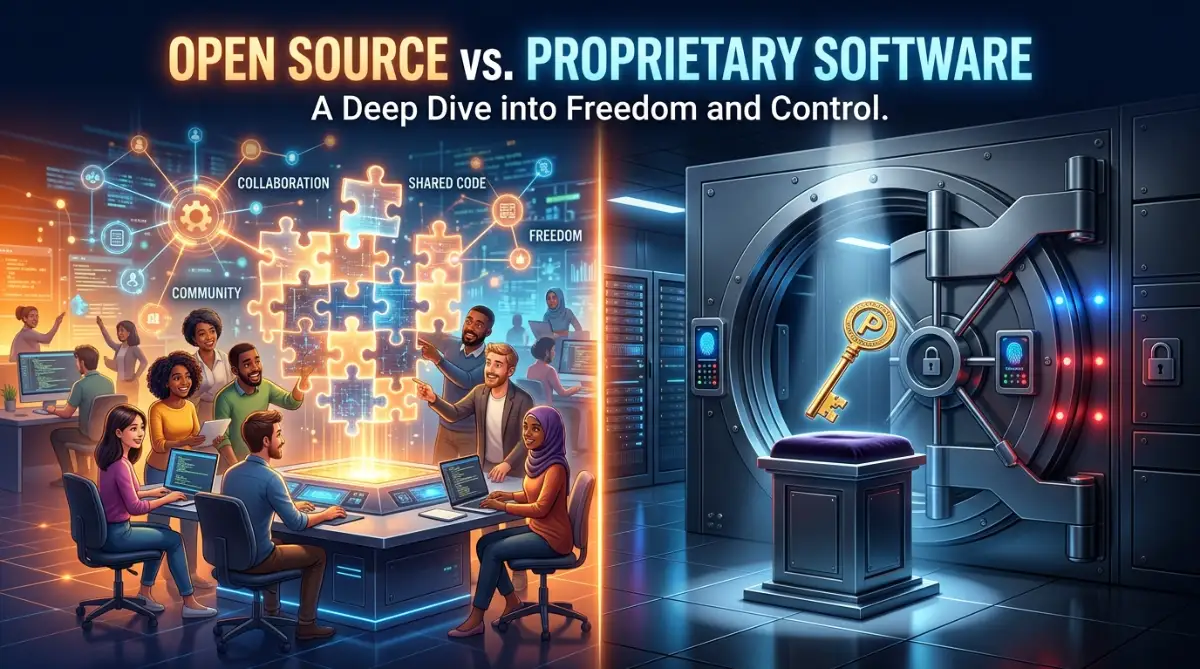
When people talk about open source, they usually think of "free." But it is about much more than just money. Think of it like a recipe for a cake.
If a recipe is open source, anyone can look at the ingredients. You can change the amount of sugar, add some chocolate, or share that recipe with your neighbor. No one can tell you that you aren't allowed to bake it.
In the tech world, this means the source code is open for everyone. If you know how to code, you can see how the software works. You can fix bugs yourself or add new buttons.
Because the community builds it, it often grows very fast. Thousands of people around the world look at the code. This means they find mistakes quickly. It is a very transparent way of doing things.
The Power of Community Ownership
I used to think that if something was free, it must be bad. I was so wrong. Some of the biggest systems in the world, like the ones that run the internet, are open source.
When you use these tools, you are part of a community. You aren't just a "customer ID" in a database. If the original creator stops working on the app, someone else in the community can take over.
This gives you a huge sense of security. You know that your files won't just vanish because a company went out of business. You own the code, or at least, the world owns it together.
The Polished World of Proprietary Software
Now, let's look at the other side. Proprietary software is like buying a pre-made cake from a high-end bakery. You don't know the exact secret recipe, and you certainly aren't allowed to go into the kitchen and change how they bake it.
You pay for the product, and in return, you get something that is usually very polished. It looks beautiful, it’s easy to use, and it feels professional right out of the box.
Microsoft Windows, Adobe Photoshop, and macOS are all proprietary. You don't own them; you just have a "license" to use them. This is the biggest difference you need to understand.
Pro Tip: I used to spend hundreds of dollars on fancy office software because I thought I had to. One day, I tried an open-source alternative and realized it did 90% of what I needed for zero cost. Don't assume a high price tag always means higher quality. Sometimes, you are just paying for the brand name.
Why Do People Choose Paid Software?
You might wonder why anyone would pay if there are free options. The answer is usually simplicity and support.
When you buy proprietary software, you usually have a "neck to wring" if things go wrong. You can call a support line or chat with a representative. For many businesses, this support is worth every penny.
They also focus heavily on the "User Experience" (UX). They want to make sure a five-year-old or a ninety-year-old can use the app without getting confused. They spend millions of dollars on research just to make a button look more clickable.
The Real Difference in Security
This is where things get interesting. Some people say open source is more secure because everyone can see the holes. Others say proprietary is better because the holes are hidden from hackers.
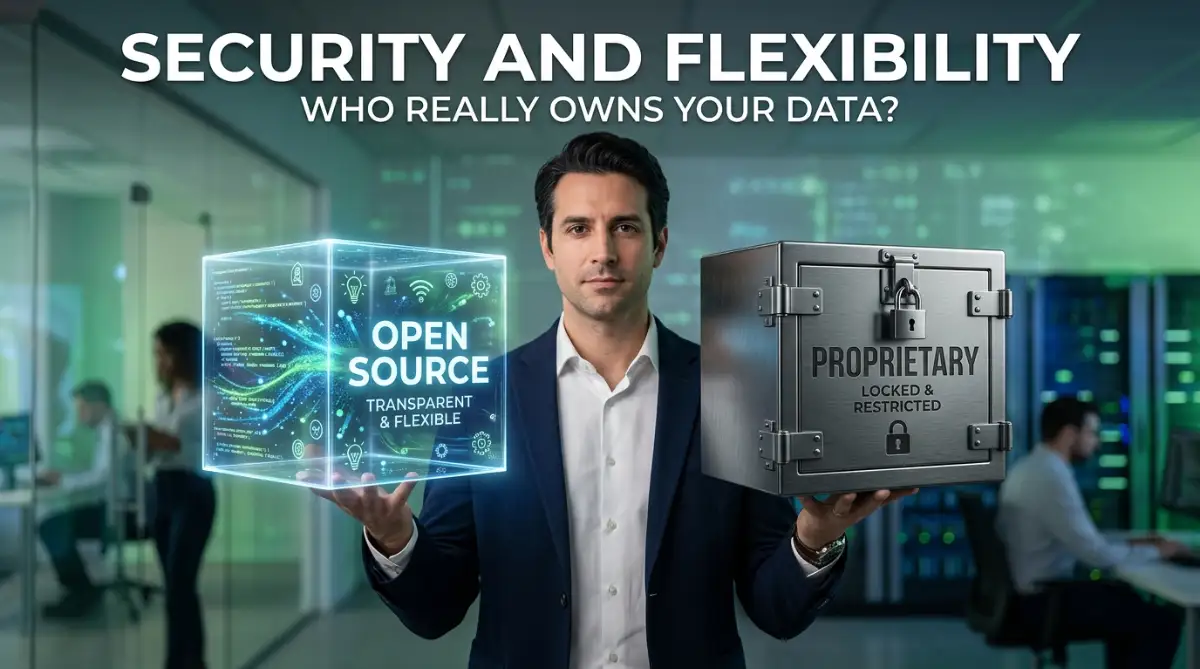
Think of it this way. Open source is like a house with glass walls. Everyone can see if a window is broken, so it gets fixed fast. Proprietary is like a house with a huge brick wall. You hope no one finds a way in, but if they do, you might not even know they are there.
In my experience, both can be very safe or very dangerous. It all depends on how often they are updated. But with open source, you don't have to wait for a company to "feel like" fixing a bug. The community usually does it in hours.
Comparing the Costs: Upfront vs. Long-Term
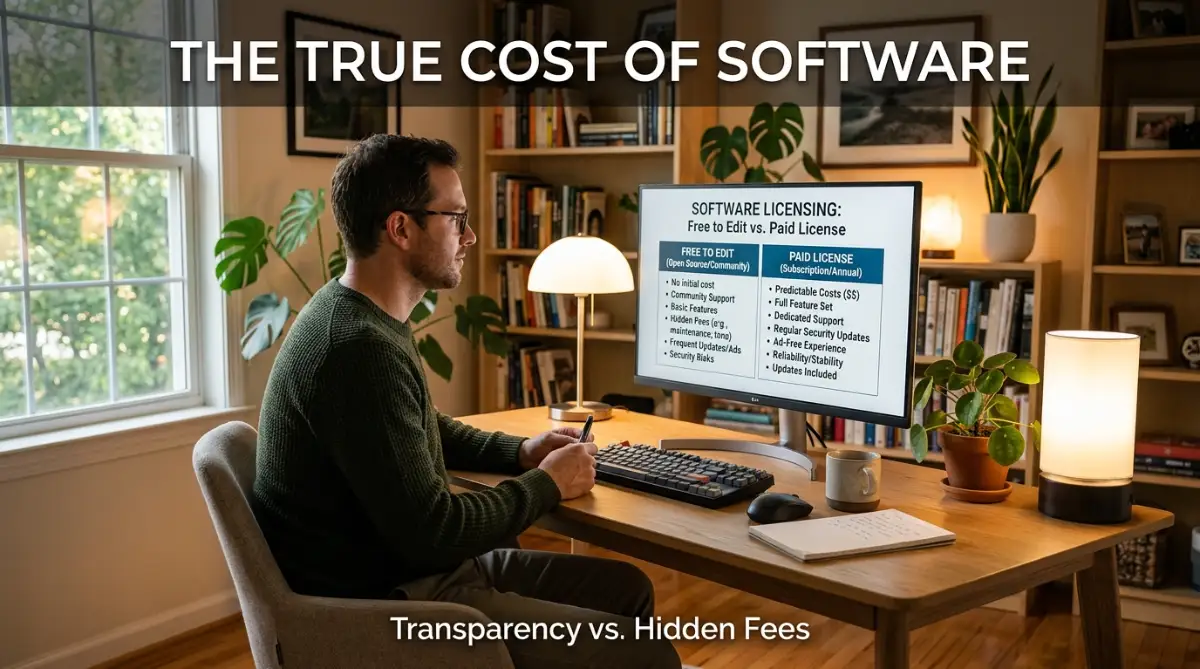
Most people think open source is free, but that’s a bit of a myth. While you don't pay for the license, you might pay for other things.
You might need to hire someone to set it up for you. Or you might spend your own time learning how to use it. As the old saying goes, "Open source is free like a puppy, not free like a beer." You have to take care of it.
Proprietary software has a very clear cost. You pay $20 a month, and you are done. It’s predictable. For many people, knowing exactly how much they will spend is better than the "free" option that takes up their time.
Want to see a real-world comparison of these two in action? This video breaks down the performance and cost of both sides in simple terms.
Flexibility and the Freedom to Grow
One thing I love about the open-source world is that it grows with you. If your business becomes huge, you can hire a developer to build a custom version of the tool just for you.
With proprietary software, you are stuck with what they give you. If you need a new feature, you have to beg the company to add it. Often, they will say no unless you are a giant corporation like Coca-Cola.
This "Vendor Lock-in" is a real problem. Once you have all your data in a closed system, it is very hard to move it out. They make it easy to join but almost impossible to leave.
Transparency and Trust
When I use an app, I want to know what it is doing with my data. Does it track my location? Does it read my contacts?
With proprietary software, you just have to trust them. You have to believe their "Privacy Policy" is true. But with open source, a smart person can actually check the code to see if the app is spying on you.
This transparency is why governments and banks are starting to use more open-source tools. They can't afford to have "backdoors" in their systems that they don't know about.
Ease of Use: The Learning Curve
I will be honest with you. Open-source tools can sometimes be a bit clunky. They are built by engineers for engineers. Sometimes the menus are confusing, and the buttons look like they are from the 1990s.
Proprietary software is usually much "prettier." It feels smooth. If you are someone who gets frustrated with technology easily, the paid version might save you a lot of gray hairs.
However, this is changing. Many open-source projects now hire designers to make their apps look modern and sleek. The gap is closing every single year.
Who is Winning the Battle?
The truth is, neither side is "winning" because we need both. We need the innovation of the community and the polish of the corporate world.
Most of us actually use a mix of both every day. If you use a Chrome browser on a Windows computer, you are using both! It’s all about finding the right balance for your specific needs.
How to Decide Which One is for You
Don't just look at the price tag. Ask yourself these three questions:
- How much do I care about owning my data?
- Do I need someone to call if the app crashes at 3 AM?
- Am I willing to spend time learning, or do I want it to "just work" now?
If you want total control, go with open source. If you want a smooth ride and don't mind paying for it, proprietary is your best bet.
The Role of Cloud Computing
Nowadays, the lines are getting even blurrier. Many "Software as a Service" (SaaS) companies use open-source code to build their paid products.
You might be paying for a subscription for a tool that is actually built on free code! They are charging you for the hosting and the easy interface. This is a very common business model today.
It makes things simpler for you, but it also means you are back to that "subscription" model I mentioned at the start. You are paying for convenience, not ownership.
Support Systems and Documentation
One big worry people have about free tools is: "Where do I get help?"
For proprietary tools, you have the official help desk. For open source, you have forums, Reddit, and Discord. Believe it or not, I often find better and faster help from a random person on a forum than I do from a corporate help desk.
Community members help because they love the tool. They aren't just reading from a script. They actually care about fixing your problem.
Customization: Making it Yours
If you are a creative person, you will love open source. You can change the colors, the layout, and the way the tools behave. You can truly make it your own.
With proprietary tools, you are a guest in someone else's house. You can move the furniture a little bit, but you can't tear down a wall or paint the ceiling.
For some, that’s fine. They just want a comfortable place to sit. But for others, the lack of freedom feels like a cage.
Performance and Speed
Does one run faster than the other? Not necessarily.
Sometimes, proprietary software is faster because it is optimized for a specific computer (like Apple apps on a Mac). Other times, open source is faster because it doesn't have all the "bloatware" and tracking scripts that paid apps often have.
It really comes down to the specific app you are using. I have seen lightning-fast free tools and incredibly slow paid ones. Always test them out for yourself before committing.
The Ethics of Software
For some people, this is a moral choice. They believe that knowledge and tools should be free for everyone in the world, not just those who can afford a monthly fee.
They see open source as a way to close the gap between rich and poor countries. If a student in a developing country can access the same powerful tools as a student at Harvard, that changes the world.
Proprietary software companies argue that without profit, there is no reason to innovate. They say that the money they make allows them to build the next big thing. Both sides have a point.
What Does the Future Look Like?
We are moving toward a world where the two are merging. Even companies like Microsoft, who used to hate open source, are now one of the biggest contributors to it.
They realized they couldn't beat the community, so they joined them. This is great news for us, the users. It means we get better tools, more choices, and more freedom than ever before.
Summary of the Key Differences
To make it easy, remember this:
- Open Source: Freedom, Community, Transparency, No license fees, but higher learning curve.
- Proprietary: Ease of use, Professional support, Polished UI, Predictable costs, but less control.
Neither is "perfect." The perfect software is the one that helps you get your work done without giving you a headache.
Thoughts on Your Software Journey
Choosing between these two isn't a one-time decision. You might use an open-source operating system but pay for a proprietary design tool. And that is perfectly okay.
The most important thing is that you know what you are getting into. Don't be like me and wait until you are locked out of your files to care about software licensing.
Take a look at the tools you use today. Do you own them? Or are you just renting them? Understanding this simple difference will change the way you look at your computer forever.
Mastering Your Software Choices Like a Pro
Now that we understand the basics, I want to share some deep secrets I learned the hard way. Choosing between these two worlds isn't just about clicking a button. It is about building a system that works for you without causing a headache later.
One of the best things I ever did was start a "Software Audit." Once every few months, I sit down and look at every app I use. I ask myself if I really need the paid version or if an open-source tool could do the same job.
You would be surprised how much money is hiding in those tiny monthly fees. I found that I was paying for a premium office suite when a free, community-driven tool did exactly the same thing. This simple habit keeps my digital life lean and fast.
Understanding the Hybrid Workflow
You don't have to choose just one side. In fact, most experts use a Hybrid Workflow. I use a paid operating system because I need it for certain hardware, but almost all my creative tools are open source.
This gives me the best of both worlds. I get the stability of a big company and the freedom of the community. You can learn more about how to manage these digital tools by understanding the fundamentals of blockchain technology and how it works to see how decentralized systems are changing everything.
By mixing your tools, you reduce the risk of being "locked in." If one company raises its prices, you can easily move that part of your work to a free alternative. It’s like having a backup plan for your entire career.
Checking the Pulse of the Community
If you decide to go the open-source route, here is a secret: always check the "last updated" date. A free tool is only good if people are still working on it.
I look for things like "GitHub Stars" or active forum posts. If the last update was three years ago, stay away! It might have security holes that will never be fixed.
A healthy project has a group of people talking, fixing bugs, and helping newbies. This is the "hidden support" that makes these tools better than paid ones. You can see how experts use these methods to build a professional brand identity by choosing the right platforms.
The Art of Reading the Fine Print
I know, I know. Nobody likes reading those long legal documents. But if you are using proprietary software for your business, you must know what you are signing.
Sometimes, these companies add a line saying they "own" the rights to the data you create using their tool. Imagine spending years writing a book, only to find out the software company has a claim on it!
I always tell my friends to look for the "Data Export" section. If you can't get your files out in a standard format (like .CSV or .PDF), you are in a digital prison. You should always learn how to read website terms of service and privacy policies before you hit that "Agree" button.
Security Secrets for the Average User
Many people think paid software is safer because they paid for it. That is a dangerous mistake. Security comes from how you use the tool, not just the tool itself.
I use a simple rule: Transparency is safety. I feel much better using a tool where the code is open for everyone to see. It means hackers can't hide "spyware" in the code as easily.
For very sensitive work, I always lean toward tools that are verified by organizations like the Open Source Initiative. They set the standards for what "open" really means. It helps me sleep better knowing my data isn't being sold to the highest bidder.
Automating the Boring Stuff
Once you pick your tools, try to make them work together. Many open-source apps are great at "talking" to other apps. You can use simple scripts to move data from one to another automatically.
This saves me hours every single week. Instead of copying and pasting, the software does it for me. You can even use artificial intelligence to automate daily productivity tasks to make your chosen software even more powerful.
This is where the real "pro-level" stuff happens. When your tools work together, you stop being a "user" and start being a "creator."
Where Things Usually Go Wrong (And How to Avoid Them)
One of the biggest traps I see people fall into is the "Free Puppy" mistake. They download an open-source tool because it’s free, but then they spend forty hours trying to make it work.
Your time has a price. If you spend three days fixing a free app when you could have paid $10 for a working one, you actually lost money. I had to learn this lesson the hard way after wasting an entire weekend on a "free" video editor that kept crashing.
Always balance the cost of money against the cost of your time. If a tool is too hard to learn, it might not be the right choice for you right now.
The "All or Nothing" Fallacy
Another mistake is thinking you have to be 100% open source or 100% proprietary. This creates so much unnecessary stress.
I know people who refuse to use a great paid app out of "principle," even though it’s hurting their business. On the flip side, I see people paying for five different subscriptions they don't even use.
Don't be a fanatic. Be a pragmatist. Use what works today, but keep an eye on what might work better tomorrow. This is similar to how people make mistakes with personal loans by not looking at all the options available.
Ignoring the License Type
Did you know there are different kinds of "free"? Some licenses say you can use the tool but you can't sell what you make with it. Others say you have to give away your own code if you use theirs.
I once saw a small company get into huge legal trouble because they used an open-source library in a product they were selling. They didn't check the license, and it cost them thousands in legal fees.
Before you build a business on a tool, check if it’s a "GPL" license or an "MIT" license. It sounds boring, but it is a life-saver. You can dive deeper into these legal ideas by looking at copyright vs trademark vs patent differences to protect your work.
Falling for the "Shiny Object" Syndrome
Software companies are great at marketing. They show you beautiful videos of their new features and make you feel like you are "missing out."
I used to jump on every new paid app that came out. I thought it would finally make me productive. It never did. The tool doesn't do the work; you do.
Before you buy a new piece of software, wait 30 days. If you still think you need it after a month, then get it. Most of the time, you will realize your current free tool is doing just fine.
Failing to Backup Your Data
This is the most painful mistake of all. Whether you use open source or proprietary, software can and will fail.
I once lost a month of work because a proprietary cloud service went down and stayed down. Because it was a "closed" system, I couldn't even get my local files to open.
Always keep your data in a format that multiple apps can read. If you write a document, save a copy as a plain text file. It isn't fancy, but it will open on any computer in the world, even fifty years from now.
Chasing Unlimited Features
More buttons do not mean better software. In fact, many paid apps are so full of features you will never use that they become slow and confusing.
I prefer "Unix-style" tools. These are apps that do one thing, and they do it perfectly. When you have a simple tool, you spend less time "fiddling" and more time "doing."
If you are just starting out, even with zero experience in writing, a simple, clean interface will help you focus more than a $500 software package with a million menus.
Your New Path to Digital Freedom
At the end of the day, the choice between open source and proprietary software is a personal one. It’s about what makes you feel safe, creative, and productive.
I want you to feel empowered when you sit down at your computer. I want you to know that you are in control of your digital world, not some big company in a faraway city.
Start small. Try one open-source alternative this week. See how it feels. You might find that the "freedom" of the community is exactly what you were looking for all along.
I have spent years trying every app under the sun, and I promise you, the best tool is the one that stays out of your way. Don't be afraid to change your mind as you grow. Your needs today won't be your needs tomorrow, and that is the beauty of having choices.
I really hope this guide helps you feel more confident in your tech journey. Take that first step today, audit your apps, and reclaim your digital freedom—I know you can do it!
Questions You Might Still Have
Is open source software always free of cost?
While most open source tools are free to download, they aren't always "free" in the long run. You might need to pay for hosting, professional setup, or your own time to learn the system. However, for the average person, they usually save a lot of money compared to monthly subscriptions.
Can I get hacked more easily using free software?
Not necessarily. Because the code is open, the community often finds and fixes bugs much faster than a private company. As long as you keep your software updated and download it from official sources, it can be just as safe as any paid tool.
Will my files open in other apps if I switch?
This depends on the file format. If you use standard formats like .JPG, .PDF, or .DOCX, you can usually switch between open source and proprietary tools without any problems. This is why I always suggest saving your work in "open" formats whenever you can.
Do big companies use open source tools?
Yes, absolutely! Some of the biggest names like Google, Amazon, and even Microsoft use huge amounts of open-source code to run their businesses. It is considered a world-class standard for stability and high-performance computing.
What should I do if a free app stops working?
Since there is no "official" help desk, you should look for the project's community forum or Discord channel. You can also search for the problem on sites like Stack Overflow. Most of the time, someone else has already solved the same problem and posted the answer online for free.
Disclaimer: This article is for informational purposes only. Software licenses and features change over time. Always read the specific terms of service for any tool you use for your business or personal data. We are not responsible for any data loss or legal issues resulting from software choices.
![7 Secret Prompting Formulas for AI Success [The Blueprint]](https://nexvoramag.com/storage/uploads/blogs/1786000012_7-secret-prompting-formulas-for-ai-success-the-blueprint.webp)