The Day I Realized My Personal Info Was No Longer Mine
I still remember the night I downloaded a simple photo-editing app. It looked fun, and I just wanted to make my vacation pictures look a little better. Like always, a big box popped up asking me to "Agree to the Terms and Conditions."
I didn't think twice about it and just tapped the button. I felt like I was in a hurry, and those long legal words looked like a foreign language to me. I thought, "It's just an app, what's the worst that could happen?"
A few days later, I started getting strange calls from people trying to sell me insurance I never asked for. Then, I saw ads on my social media for things I had only talked about in private emails. I felt a cold shiver down my back.
I realized that by clicking "Agree," I had basically opened the door to my house and told a stranger they could take whatever they wanted. I felt small, tricked, and honestly quite stupid. It was a wake-up call that changed how I use the internet forever.
Now, I don't click anything until I know exactly what is happening behind the scenes. I spent a lot of time learning how to beat these companies at their own game. I want to show you that you don't have to be a lawyer to protect yourself.
Most of us live with a constant sense of worry every time we open a new website. We know we are being tracked, but we feel like we have no choice. It’s like walking through a dark forest where we know eyes are watching us from the shadows.
This feeling of being watched can really hurt your mental peace. You stop feeling free to search for things or talk to friends because you wonder if a big company is writing it all down. It feels like your private life is being sold piece by piece to the highest bidder.
The worst part is the guilt we feel for not reading those long documents. We know we should, but they are designed to be boring and hard to follow. It’s a trap that makes us give up our power just because we are tired or busy.
When you don't understand what you are agreeing to, you are giving up your right to privacy. You are saying it's okay for companies to track where you go, who you talk to, and what you buy. This loss of control is why so many people feel anxious online.
But I have good news for you. You can take that power back today without spending hours reading boring text. Once you learn the simple tricks to scan these pages, that weight on your shoulders will disappear. You will finally feel in control of your digital life again.
Why Scanning the "Fine Print" is Your Best Defense
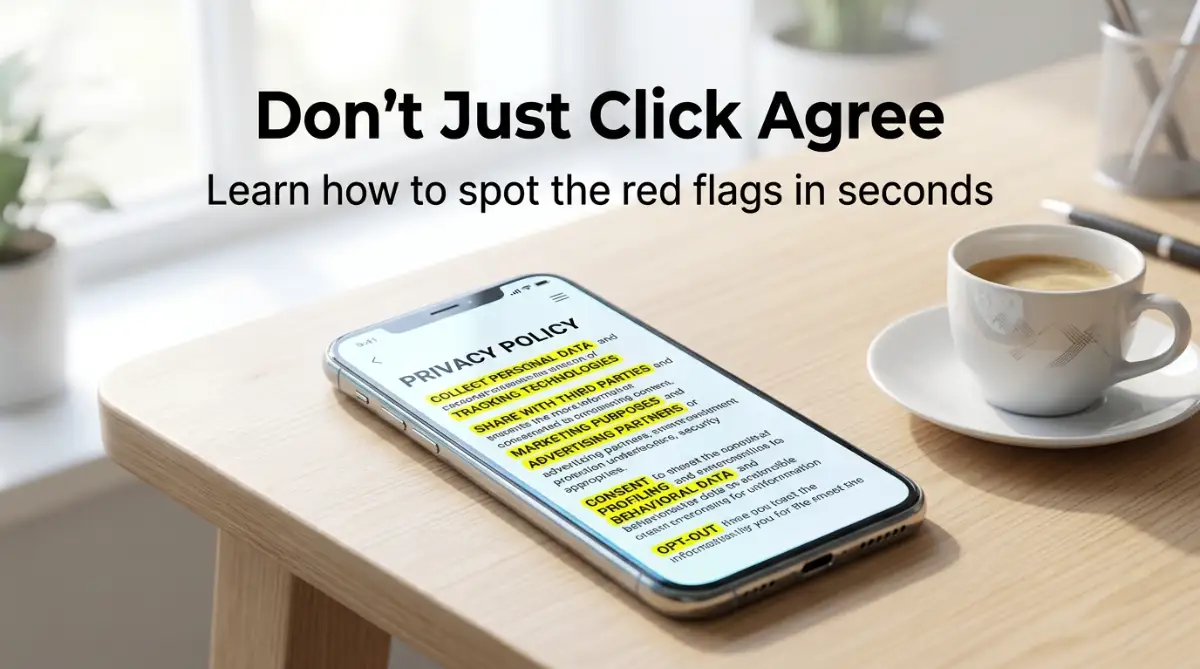
I used to think I had to read every single word in a privacy policy. That was my first big mistake. These documents are often longer than a short book, and nobody has time for that!
Instead, I developed a system to find the "danger zones" in just a couple of minutes. It’s about knowing where to look and what specific words to hunt for. Think of it like a treasure hunt, but the treasure is your own privacy.
Searching for the "What We Collect" Section
The most important part of any policy is where they list what they are taking from you. I always look for a heading that says "Information We Collect" or "Data Collection." This is where they have to be honest about their habits.
I look for things like "contacts," "location," or "browsing history." If a weather app wants to see my contact list, I know something is wrong. There is no logical reason for a weather app to know who my friends are.
I also pay attention to "Device Information." Some sites take your phone's unique ID, your battery level, and even the names of other apps you have. When I see this, I ask myself if the service is really worth that much of my personal info.
Identifying the "Third-Party Sharing" Trap
This is the section that used to keep me up at night. You need to find where they talk about "Sharing Information" or "Service Providers." This tells you who else gets to see your data.
If you see the words "marketing partners" or "affiliates," it usually means they are selling your info. They might call it "improving your experience," but it's often just a way for them to make money from you. I always look for a way to say no to this.
I prefer websites that say they only share data when it is "legally required" or "necessary to provide the service." Anything more than that is a red flag for me. Knowing who is in the "data chain" is the first step to staying safe.
Pro Tip: One thing I always do now is use the "Search" function on my browser. I press Ctrl + F and type in the word "sell." It takes me straight to the most important sentence in the whole document. If a site says they "do not sell your personal information," I feel a lot better about using it.
To truly understand why your data is so valuable, you should watch a short breakdown of how data brokers work.
Checking the "Data Retention" Rules
Have you ever wondered how long a company keeps your data after you stop using them? This is called "Data Retention," and it is a very big deal for your long-term privacy. Some companies keep your info forever!
I look for a section that explains how long they store your details. I want to see a promise that they delete my data if I close my account. If they say they keep it "indefinitely," I usually walk away.
Think of your data like a footprint in the sand. You want those footprints to wash away once you leave the beach. If the company keeps them forever, someone could follow you years later. Always check for a clear deletion policy.
Finding Your "Opt-Out" Rights
One of the best things I learned is that many laws actually force companies to give you a choice. I look for a section often called "Your Rights" or "Your Choices." This is where the power hides.
I look for a link or a button that lets me "Opt-Out" of tracking. Sometimes it's a bit hidden, but it is almost always there. Taking thirty seconds to click that button can stop a lot of the tracking before it even starts.
You also have the right to ask the company what they know about you. In some places, you can even tell them to delete everything they have. I’ve done this a few times, and it feels amazing to know a company's files on me are empty.
Understanding the "Terms of Service" vs. "Privacy Policy"
I used to get these two confused, but they are actually very different. The "Terms of Service" is like the house rules. It tells you what you can and cannot do on the website.
The "Privacy Policy" is a promise about how they treat your stuff. It’s more about your protection than their rules. I spend much more time on the Privacy Policy because that’s where my personal safety is handled.
If you want to know if you can get banned for a comment, check the Terms. If you want to know if they are reading your private messages, check the Privacy Policy. Keeping these separate in your mind makes the whole process much easier.
Looking for "Plain English" Summaries
Some of the best websites now include a "tl;dr" (too long; didn't read) section. They provide a short, simple summary of each point in normal language. I love these companies because it shows they aren't trying to hide anything.
If a site has a simple summary, I read that first. It gives me a great overview of their values. If they only use thick, heavy legal words, I become much more suspicious. Transparency is a sign of a company that respects you.
There are also third-party tools that can do this for you. I often use websites that grade privacy policies from A to F. It’s a great way to get a second opinion before you trust a new platform with your life.
The Importance of "Effective Dates"
I always check the top of the page for an "Effective Date." This tells you when the rules were last changed. If a site hasn't updated its policy in five years, it might not be following the latest safety laws.
Things change fast on the internet, and a good company keeps its rules up to date. I also look for a sentence that says they will "notify you" of any changes. You don't want to wake up one day and find out the rules changed without you knowing.
When I get an email about a "Policy Update," I don't delete it anymore. I open it and look for the "What's Changing" section. It’s usually just a few sentences, and it helps me stay ahead of the game.
Spotting "Mandatory Arbitration" Clauses
This is a bit of a sneaky one that I learned about the hard way. Many "Terms of Service" have a section about "Disputes." They often say you can't take them to court if they do something wrong.
Instead, they force you into "arbitration," which is a private meeting. This is usually much better for the company than for you. While it might not stop me from using a site, I like to know what my legal rights are before I start.
Some sites let you "opt-out" of this clause if you email them within 30 days. I have started doing this for every major service I use. It only takes a minute, and it keeps my legal options open if something really bad happens.
Protecting Your "User Content"
If you are a creator, you must look at the "User Content" or "License" section. This tells you who owns the photos or videos you upload. Some sites try to take a "permanent, royalty-free license" to your work.
This means they could use your photo in an ad without paying you or even asking. I always look for a sentence that says "You retain ownership of your content." This is the only way to make sure your hard work stays yours.
I’ve seen many artists lose control of their work because they didn't check this one section. It’s one of the most important things for anyone who posts creative things online. Don't let a website take credit for your talent!
The Power of Being an Informed User
At the end of the day, these documents are meant to be a conversation between you and the company. By learning how to navigate them, you are participating in that conversation. You're no longer just a passive observer.
I feel so much more confident browsing the web now. I know which sites to trust and which ones to avoid. That feeling of "digital anxiety" is mostly gone because I know I have a plan.
You don't need to be perfect at this right away. Just start by looking for one or two of the sections I talked about. Over time, it will become a habit, and you will become a pro at protecting your digital footprint. Your privacy is worth the extra minute of effort!
Next-Level Strategies to Own Your Digital Footprint
Moving beyond the basics of scanning legal pages, I have found that truly protecting yourself requires a few "expert moves."
It is one thing to know what a company collects, but it is another thing to know how to stop them from taking too much. I want to show you how I handle my online life now that I know the tricks they play.
One of the best things I started doing was using disposable email addresses for sites I don't fully trust. If a website's privacy policy says they share your email with "partners," giving them your real address is a mistake.
I use aliases so that if I start getting spam, I know exactly which website leaked my info. This keeps my main inbox clean and my identity much safer.
You should also look into browser extensions that help decode these legal pages for you. Tools like "Privacy Badger" or "uBlock Origin" work alongside your knowledge of the terms.
They stop the very trackers that the privacy policy says they are allowed to use. It’s like having a digital bodyguard that follows the rules you set, not the ones the website wants.
I also spend a lot of time looking at AI training clauses lately. This is a new area in legal terms that many people miss. Some websites now say that anything you upload—like your photos or your writing—can be used to train their "machine learning models."
If you are a creator, this is a huge deal. I always check if there is an option to "opt-out" of AI training to keep my work truly mine.
Another big secret is checking for tracking pixels mentioned in the policy. These tiny, invisible images can follow you even after you leave a website. If a policy mentions "web beacons" or "pixels," they are watching what you do on other parts of the web too.
I make sure my browser settings block these so that a company's reach ends the moment I close their tab.
For those who want to be even safer, I recommend using a VPN whenever you are on public networks. This adds a layer of protection that a privacy policy can't always guarantee.
You can learn more about how a VPN encrypts your data on public wi-fi networks to see why this is a major part of your digital defense. It stops hackers and even the website itself from knowing your exact location.
I have also learned to look for Cross-Device Tracking in the fine print. This is when a company tries to link your phone, your laptop, and your smart TV together. They do this to build a giant map of your life. If I see this in the policy, I am much more careful about which devices I use to log into that specific service.
Pro Tip: I once made the mistake of thinking that "Private Browsing" or "Incognito Mode" made me invisible to the website's terms. I was wrong. I realized that the website's privacy policy still applies even if your browser doesn't save your history.
Now, I always remind myself that the agreement is with the company, not just with my computer. It is a small but very important realization that keeps me from getting careless.
To stay safe in the long run, you should also think about your financial data protection. If a site asks for your credit card, their legal terms for "Payment Processing" are just as important as their privacy rules.
You should always be on the lookout for how to protect your money from fake loan and insurance offers because these scams often hide behind official-looking terms.
I also suggest doing a "Privacy Audit" once a month. I go back to the sites I use most often and check if they have updated their terms.
Most of the time, they won't tell you if they make a small change that hurts your privacy. Setting a reminder on my phone to check my "Top 5" apps has saved me a lot of worry over the years.
Finally, always remember that you have the right to request your data. Under laws like the GDPR or CCPA, companies must give you a copy of what they have on you.
I do this once a year for big social media sites just to see what they are keeping. It is eye-opening and helps me decide if I want to keep using their services or if it's time to delete my account.
The Quiet Ways We Lose Our Online Freedom
When I talk to people about legal terms, I notice they often make the same mistakes I used to make. These errors might seem small, but they can lead to your data being sold or your identity being stolen. It breaks my heart when I see someone lose their digital privacy just because they were in a rush.
One of the biggest mistakes is trusting a site just because it has a little padlock icon next to the URL. Many people think this means the site is "safe" and their data is protected.
All that icon really means is that the connection is secure; it doesn't mean the company's privacy policy is good. A scammer can have a padlock icon too, so don't let it fool you into skipping the fine print.
Another pitfall is using Social Media Logins for everything. It is so easy to just click "Log in with Facebook" or "Log in with Google." But when you do this, you are often agreeing to let that app see your whole social profile.
You are also letting the social media company track what you do on that new app. It creates a giant web of data that is almost impossible to untangle later.
I have also seen people ignore the Age Requirements in the terms of service. This is especially dangerous for parents. Many apps are not meant for children, and their privacy policies reflect that.
If your child uses an app designed for adults, their data might be collected in ways that are illegal for minors. I always check these rules, like when I'm looking for 7 Roblox safety tips every parent needs to keep my family safe.
A very common and emotional mistake is not reading the Auto-Renewal and Refund terms. I have seen friends lose hundreds of dollars because they signed up for a "free trial" and didn't realize they had to cancel it 48 hours before it ended.
The legal terms usually hide these dates in very small text. If you miss them, you might find your bank account empty the next morning with no way to get a refund.
I also want to warn you about Third-Party App Access. Sometimes, we give an app permission to access our "Google Drive" or "Contacts" without thinking. The legal terms might say they can "read, edit, and delete" your files.
Imagine losing years of family photos because of one click! It’s a nightmare that can be avoided if you just look for the "Permissions" section in the agreement.
Many people also forget that Public Wi-Fi changes how privacy policies work. Even if a website promises to keep you safe, a hacker sitting next to you at a cafe could be watching everything.
This is why staying informed about is your private info leaking is so helpful. You need to know that your safety depends on both the website's rules and your own habits.
Perhaps the most painful mistake is thinking that "I have nothing to hide." I used to say this all the time. But privacy isn't about hiding bad things; it’s about protecting your identity.
If a company knows your health history, your bank balance, and your home address, they can use that to charge you more for insurance or target you with scams. Your "nothing to hide" is actually a gold mine for people who want to take advantage of you.
Don't let the long words and boring pages win. They want you to feel overwhelmed so that you just give up. But every time you stop and look for these red flags, you are winning a small battle for your freedom. You are telling these big companies that your life is not for sale, and that is a very powerful thing to do.
If you feel like you've already made too many mistakes, don't worry. You can start fixing things today. Go into your app settings, remove old permissions, and change your passwords. It’s never too late to start guarding your digital world with more care.
Your New Life as a Web-Savvy Guard
Looking back at how I used to browse the web, I feel like a completely different person now. I used to be afraid and confused, but now I feel empowered.
I know that I am the one in charge of my data, not some server in a far-off country. This journey of learning how to read legal pages was one of the best things I ever did for my peace of mind.
Understanding these terms is like learning to read a map in a new city. At first, it looks like a mess of lines and colors. But soon, you start to see the patterns.
You know which streets are safe and which ones to avoid. You can walk with your head held high because you know exactly where you are going.
I want you to feel that same confidence every time you see a "Terms of Service" pop-up. Don't look at it as a hurdle. Look at it as a chance to check the "health" of the website. If they are honest and clear, you can enjoy their services without worry. If they are sneaky, you can walk away and find a better option.
One thing that really helped me was learning how to carefully read and understand a legal contract before signing. This skill isn't just for the internet; it helps in your real life too. Whether you are buying a car or renting an apartment, knowing how to spot the "fine print" will save you from a lot of trouble.
As you move forward, keep these three things in mind:
- Always look for the "What We Collect" and "Who We Share It With" sections.
- Use Search tools to find words like "sell," "partners," and "forever."
- Trust your gut feeling. If a site feels like it is asking for too much, it probably is.
This is a long game, and you will keep getting better at it every day. You don't have to be perfect. Even if you only catch one bad clause a month, you are still ahead of 90% of other users. You are building a safer future for yourself and your family with every click you choose to make—or not make.
I truly believe that the more of us who start reading these terms, the more the companies will have to change. When they see that users are paying attention, they will be forced to make their rules fairer and simpler. We are part of a movement that is making the internet a better place for everyone.
I want you to take your first step today. Pick one app you use every day and go look at its privacy policy right now. Just spend two minutes on it.
I promise that once you start seeing the "hidden truth" in these pages, you will never want to go back to being in the dark.
I hope my story and these tips have given you the spark you need to start your own journey. You have the power to protect your name, your money, and your peace of mind. I am right here with you, and I know you can master this and keep your digital life safe and sound.
Common Questions About Digital Privacy Terms
Why are privacy policies so long if they want us to read them?
The truth is, many companies use long legal words to protect themselves from lawsuits, not to help the user. By making the document 50 pages long, they hope you will just click "Agree" without seeing the parts that might upset you.
According to research from the Electronic Frontier Foundation (EFF), this complexity is a major barrier to user rights online.
Can a website change its terms without telling me?
Most websites include a clause saying they can change the rules whenever they want. However, better companies will promise to email you or put a notice on their homepage 30 days before the change happens. If you see a site that says they can change rules "at any time without notice," you should be extra careful with the data you give them.
What should I do if I don't like a website's privacy policy?
If you find something scary in the terms, the best thing to do is not use the service. If you must use it, try to give as little information as possible. You can often check sites like Consumer Reports to find safer alternatives that respect your privacy more.
Do I have to read the terms every time I visit a site?
You don't need to read them for every visit, but you should check them when you first create an account or provide payment info. It is also smart to re-scan them if you get an email about a "Policy Update." Using a quick search for key terms like "third party" or "retention" can give you the answers you need in under a minute.
Are these legal terms actually binding in court?
Yes, in most cases, clicking "I Agree" is considered a digital signature. This is why it is so important to understand the impact of keyword research on search engine ranking and other digital fundamentals; everything online is linked together by these agreements. If you break the rules, the company can legally ban you or take back services they provided.
Disclaimer: This article is for informational purposes only and does not constitute professional legal advice. While I have shared my personal experiences and research, laws regarding data privacy and website terms vary by country and region.
If you are facing a serious legal issue or need specific advice regarding a contract, please consult with a qualified attorney. Always stay informed by checking official resources like the Federal Trade Commission (FTC) for the latest updates on digital consumer protection.

![7 Hidden Legal Traps That Can Bankrupt Your Small Business Overnight [Avoid These!]](https://nexvoramag.com/storage/uploads/blogs/1787550945_7-hidden-legal-traps-that-can-bankrupt-your-small-business-overnight-avoid-these.webp)