Let’s talk about that tiny panic you feel when your phone hits 5%. Most of us just plug it in and sleep, thinking a 100% charge in the morning is a win. But I found out the hard way that 'topping it off' every single night is the quickest way to kill your expensive phone.
I’m going to show you why you should stop chasing that 100% icon and how a few small tweaks can make your battery last for years, not months.
The Hidden Cost of Your Midnight Charging Habit
We all do it. You come home after a long day, and your phone is at 10%. You plug it in, put it on your nightstand, and go to sleep. It feels like the most logical thing to do.
But have you noticed your phone dying faster lately?
Maybe it struggles to make it to lunch. You might feel a sense of panic when you see that red battery bar. This "battery anxiety" is a real problem for millions of people.
We rely on our phones for everything today. When the battery fails, we feel disconnected from the world. It is frustrating to spend a lot of money on a device only for it to lose its power in a few months.
Why We Can’t Find the Right Answers
- Conflicting Advice: One website says charge to 100%, and another says never go above 80%. This leaves most people confused.
- Old Habits: Many of us still follow rules from old batteries that don't apply to modern lithium-ion tech.
- Cheap Accessories: We often buy the cheapest cables from the gas station because we think all chargers are the same.
- Hidden Software Settings: Most users don't know their phones have built-in tools to protect the battery that are turned off by default.
- The "Full Charge" Obsession: We feel mentally better when we see 100%, even if it is actually hurting the hardware inside.
How Failing Batteries Affect Your Daily Peace
- Constant Worry: You are always looking for a power outlet when you should be enjoying your dinner or meeting.
- Missed Opportunities: Your phone dies right when you need to call a ride or take an important photo.
- Financial Stress: Replacing a battery or buying a new phone every year is a massive drain on your wallet.
- Loss of Freedom: You feel chained to a wall or a heavy power bank just to keep your digital life active.
- Decreased Productivity: A slow phone caused by a weak battery makes every task take twice as long.
You deserve a phone that works as hard as you do. You shouldn't have to carry a charger everywhere you go. By changing just a few small things, you can make your device last much longer.

📱 Quick Battery Fixes (If You're in a Hurry)
Don't have time to read the whole guide? Here is what I do to keep my battery healthy:
- Dump the Pillow: Never charge your phone on a bed or under a pillow. Heat is the #1 killer.
- Turn on Optimization: Go to your settings and turn on 'Optimized Battery Charging' right now.
- Ditch the $2 Cables: Use the original charger or a certified brand like Anker or Belkin.
- The Sweet Spot: Try to unplug around 80-90% instead of leaving it at 100% all night.
Your Guide to Better Charging Habits
To fix the problem, we first need to understand what is happening inside your phone. Modern batteries hate two things: extreme heat and extreme tension. When you charge overnight, you often create both of these conditions.
I want to show you how to treat your phone with the care it needs. These steps are easy and won't change your life much. But they will save your battery from a slow and painful death.
Step 1: Remove the "Heat Blanket" From Your Device
One of the biggest mistakes is where you put your phone while it charges. Many people tuck their phone under a pillow or leave it on a soft bed. This is like wearing a heavy coat while running a marathon.
Charging creates heat naturally. If that heat cannot escape, it stays inside the battery and cooks the chemicals. This leads to a permanent loss of capacity that you can never get back.
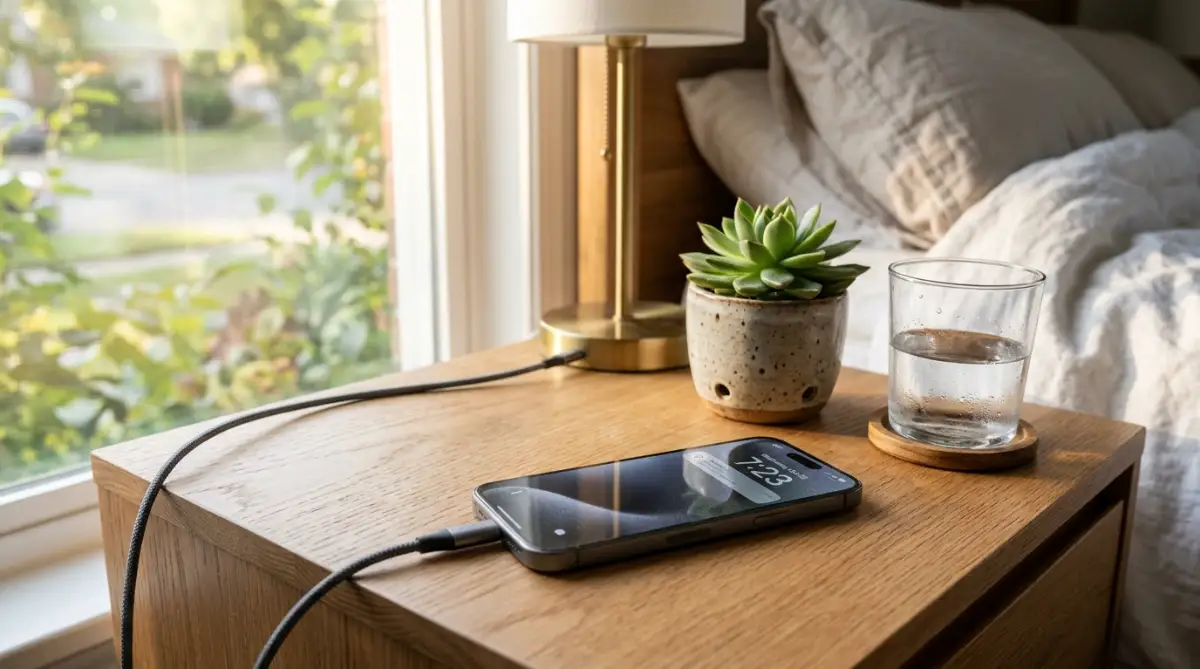
Always place your phone on a hard, flat surface like a wooden desk or a nightstand. If you have a very thick protective case, consider taking it off at night. This allows the air to move around the device and keep it cool.
Step 2: Stop Chasing the 100% Finish Line
It feels great to wake up to a 100% charge, but your battery hates it. Lithium-ion batteries are under the most stress when they are completely full or completely empty. It is like a rubber band that is stretched to its limit.
The "Sweet Spot" for batteries is between 20% and 80%. When you leave your phone plugged in all night, it stays at 100% for hours. The charger keeps "trickle charging" it to stay at the top, which keeps the battery under constant tension.
Most modern phones now have a feature called "Optimized Battery Charging." Make sure this is turned on in your settings. It learns your sleep routine and waits to finish the last 20% of the charge right before you wake up.
I used to be obsessed with seeing that 100% icon every single morning because it made me feel prepared. Once I finally realized that "full" actually meant "stressed" for my battery, I started unplugging at 80% and noticed my phone stopped getting hot and stayed fast much longer.
I used to believe everything I heard about batteries until I actually looked at the data. Let’s clear up the noise:
Stop! Before you go to sleep, watch this short video to see exactly what happens to your battery when it stays at 100% for too long. It’s a real eye-opener that will change how you charge your phone forever!
Step 3: Invest in Quality Over Cheap Cables
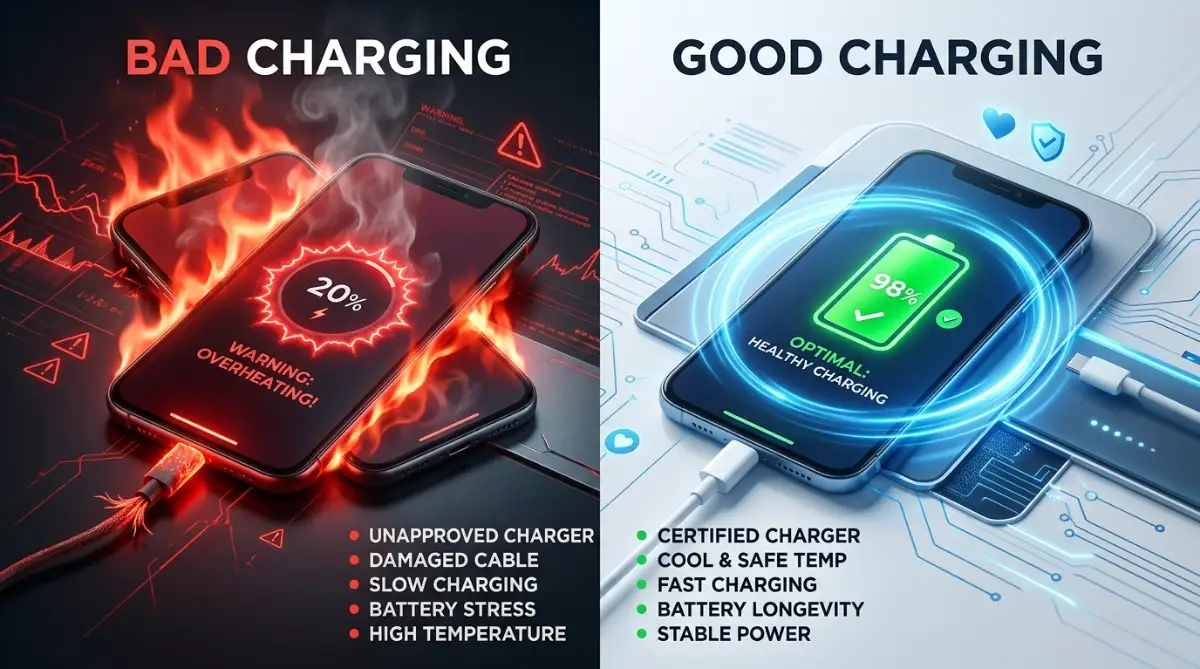
We have all been tempted by those $2 cables at the checkout counter. They look the same as the original, but the inside is very different. A bad cable can deliver power unevenly or even cause a fire.
Cheap chargers often lack safety chips. These chips tell the phone when to stop taking power. Without them, your phone might get too much voltage, which damages the internal circuits.
I always recommend using the charger that came in the box or a trusted brand. It might cost $10 more now, but it will save you $1000 on a new phone later. Think of it as insurance for your most important tool.
My Personal '80/20' Rule:
I try to keep my phone between 20% and 80% as much as I can. Why? Because the stress on a battery is highest when it’s totally empty or totally full. It’s like a rubber band—if you keep it stretched to the limit all the time, it eventually snaps. Keeping it in the middle keeps the chemicals happy and stable.
The Science of Why Batteries Age
Every battery has a limited number of "cycles." A cycle is used when you use 100% of the battery's power. If you charge from 50% to 100% twice, that is one cycle.
When you charge your phone poorly, you increase the speed of these cycles. You also cause "chemical plating," where the lithium becomes a solid metal inside. This blocks the flow of energy and makes the battery feel weak and sluggish.
By following the steps above, you are slowing down this chemical aging. You are keeping the "engine" of your phone clean and efficient. You will notice that after a year, your phone still feels like it did on day one.
Making a Plan for the Future
If you can get it to 80% before bed, you might not even need to plug it in overnight. Most modern phones lose very little power while you sleep if you aren't using them. If you must charge overnight, just make sure the environment is right.
Hard surface, good cable, and the right software settings. These three things alone will put you ahead of 90% of other smartphone users. In the next part of this guide, we will look at more advanced mistakes.
We will talk about fast charging and how your car charger might be the real enemy. But for now, start with these simple changes tonight. Your phone is your window to the world.
It holds your memories, your work, and your connections. Treating it with a little bit of respect will go a long way in making your life easier.
Remember, a little bit of care today saves a lot of money tomorrow. You have the power to stop the damage and keep your device running perfectly for years.
Smart Strategies to Maximize Your Device Longevity
Moving beyond the simple basics, we need to talk about the more technical side of battery care. You don't need a degree in science to understand this, but a little bit of knowledge goes a long way.
Most people treat their phone like a simple appliance, but it is actually a complex chemical system. If you want to stop the damage, you have to think about how power moves.
According to experts at Forbes, modern tech users often ignore the subtle signs of battery wear until it is too late. By taking a proactive approach, you can keep your hardware running like new for much longer.
In fact, the way you manage your phone is very similar to how you manage other tech. For example, learning how to extend the battery lifespan of a modern laptop follows many of the same rules we are discussing here. Heat and deep discharge cycles are the enemies of all portable electronics.
Step 4: Use Slow Charging for Overnight Power
We live in a world where everyone wants things to happen fast. Fast charging is great when you have fifteen minutes before leaving the house. However, using a high-speed charger while you sleep is often a bad idea.
Fast charging creates significantly more heat than slow charging. When you are sleeping for eight hours, there is no reason to fill your battery in forty minutes. The extra speed just puts unnecessary stress on the lithium cells for the rest of the night.
If you have an old, low-wattage charger (like the 5W ones that used to come with iPhones), use it for overnight charging.
It will fill the battery slowly and gently, keeping the temperature much lower. This simple switch can add months or even years to your battery’s total life.
Step 5: Master the 20-80 Rule for Long-Term Health
Your battery is most comfortable when it is in the middle of its range. Think of it like your own stomach; you don't feel good when you are starving, and you don't feel good when you are stuffed.
Your phone feels the same way about electricity.
Try to keep your battery between 20% and 80% as much as possible. Deeply discharging your phone to 0% causes a chemical reaction that makes it harder to hold a charge later.
Similarly, keeping it at 100% for five hours every night creates a high-voltage environment that wears out the internal components.
Many users find that charging their phone to 80% before bed and then topping it off in the morning is the best strategy.
If your phone has a setting to "Limit Charge to 80%," I highly recommend turning it on. This is one of the most effective ways to avoid the common mistakes people make when charging their devices overnight.
Step 6: Watch Out for "Parasitic Loads" While Charging
A parasitic load happens when your phone is working hard while it is trying to charge. This is very common if you leave your phone on a charger while it is doing a heavy update or running a hotspot.
It creates a "push and pull" effect on the battery that causes extreme heat.
Avoid using heavy apps while your device is plugged in. If your phone is hot to the touch, stop what you are doing immediately. The combination of the charger's heat and the processor's heat is a recipe for disaster.
This also applies to your gaming life. If you are a mobile gamer, you might notice similar heat issues on other devices. Learning how to fix lag issues on your gaming console often involves managing heat, just like with your smartphone. A cool device is a fast and healthy device.
Creating a Sustainable Tech Routine
The goal isn't to be perfect every single day. We all have nights where we forget or nights where we need 100% for a long trip the next day. The key is to make these healthy choices your "normal" routine.
Long-term success comes from understanding your device's limits. If you treat your battery like a consumable resource that you want to preserve, you will naturally make better choices.
You will stop seeing your phone as a magic box and start seeing it as a valuable tool.
Plus, when your tech lasts longer, you have more money for other things. Maybe you can use those savings to improve your lifestyle in other ways. For instance, following 7 easy daily habits to transform your sleep quality forever can give you the energy you need to be more productive during the day.

Common Mistakes That Are Quietly Killing Your Tech
Even if you follow the steps above, there are some "silent killers" you need to watch out for. These are common mistakes people make when charging their devices overnight without even realizing it. Avoiding these pitfalls will put you in the top 1% of tech-savvy users.
1. Using Your Phone as a Hotspot While Charging
This is one of the most stressful things you can do to a battery. A mobile hotspot uses a lot of power and generates a massive amount of heat. When you add a charger to that mix, the battery temperature can reach dangerous levels.
If you must use a hotspot, try to do it without the charger. Or, at the very least, make sure the phone is in a very cool place. Doing this overnight is especially dangerous because you won't be awake to notice if the phone starts to smell or swell.
2. Charging in Direct Sunlight or Near a Heater
Many people leave their phones on a windowsill or near a radiator while charging. External heat is just as bad as internal heat. If the sun hits your phone while it is plugged in, the battery can degrade in a matter of days.
Always look for a shaded, cool spot for your charging station. If you are in a car, don't leave your phone on the dashboard while it is charging. These high-temperature environments are the leading cause of "swollen batteries" that can break your screen from the inside.
3. Using Incompatible High-Wattage Bricks
With the rise of USB-C, many people use their laptop chargers for their phones. While this is often safe because of smart chips, it isn't always ideal. Some cheap or older devices don't know how to handle that much power.
Always check the voltage and amperage requirements of your device. If your phone feels unusually hot when using a laptop charger, stop using it. It is always better to stay within the recommended power limits provided by the manufacturer.
4. Ignoring Software Updates for Battery Management
Manufacturers often send out updates that improve how your phone handles power. If you ignore these updates, you might be missing out on new safety features.
These updates can fix bugs that cause the phone to stay awake and drain battery while it should be resting.
Keep your operating system up to date. These updates often include "battery health" patches that help the software communicate better with the hardware. It is a simple way to ensure you are getting the most out of your device.
5. Charging to 100% Every Single Time
As we mentioned before, the "full tank" mentality is a mistake. If you take your phone off the charger at 80% or 90%, it is actually better for the chemistry. Constantly pushing for that last 1% creates a lot of resistance and heat.
Think of the last 10% like a crowded parking lot. It takes a lot of energy to find the last few spots for the electrons. This extra effort creates heat and wears down the battery's ability to hold a charge in the future.
Embracing a Healthier Relationship with Your Tech
At the end of the day, your phone is there to serve you, not the other way around. But by avoiding these common mistakes people make when charging their devices overnight, you are making a smart financial choice.
You are also helping the planet by keeping your electronics out of the trash for longer. According to reports from Consumer Reports, the average person replaces their phone every two to three years.
Many of these replacements are only necessary because the battery has died. If you can make your battery last five years, you have saved a lot of money and reduced your carbon footprint.
Start your new routine tonight. Find a cool, hard surface for your phone. Check your settings for any battery optimization tools. These small changes will lead to a much more reliable device.
Taking Charge of Your Digital Life
You don't have to worry about your battery dying in the middle of a busy day anymore. When you follow these guidelines, you gain a sense of control. You can go out with friends or head to a long meeting without constantly looking for a plug.
Be the person who doesn't have "battery anxiety." Your friends will wonder how your old phone still lasts so long. You can share these tips with them and help everyone save their tech.
A well-maintained phone is a sign of a well-organized life. Just like you might be understanding the impact of keyword research to improve your business, you are researching battery care to improve your daily experience. Knowledge is the best tool you have.
A Brighter, Fully Charged Future
We hope this guide has helped you see charging in a new way. It is a simple part of our lives, but it has a huge impact on our electronics. By being a little more mindful, you can protect your investment and enjoy your tech for a long time.
Go ahead and set up your safe charging station now. Move that charger away from your pillow and onto a solid desk. Turn on your battery saving settings and feel the peace of mind that comes with doing things the right way.
Your phone is ready to last. All it needs is a little help from you. Happy charging, and enjoy the freedom of a healthy battery!
Taking care of your battery is one of the easiest ways to save money and stay connected without any stress. Try unplugging your phone a bit earlier tonight and see how much better your tech feels by next week!
Disclaimer: The information provided in this blog post is for educational and informational purposes only and is not intended as professional tech advice. While these tips generally help prolong battery life, individual results may vary based on device age, brand, and usage patterns. Always follow your manufacturer's specific safety guidelines.
![The Secret Science of Wireless Charging: Why Cables Are Still Winning [Explained]](https://nexvoramag.com/storage/uploads/blogs/1788067627_the-secret-science-of-wireless-charging-why-cables-are-still-winning-explained.webp)